Service Orders
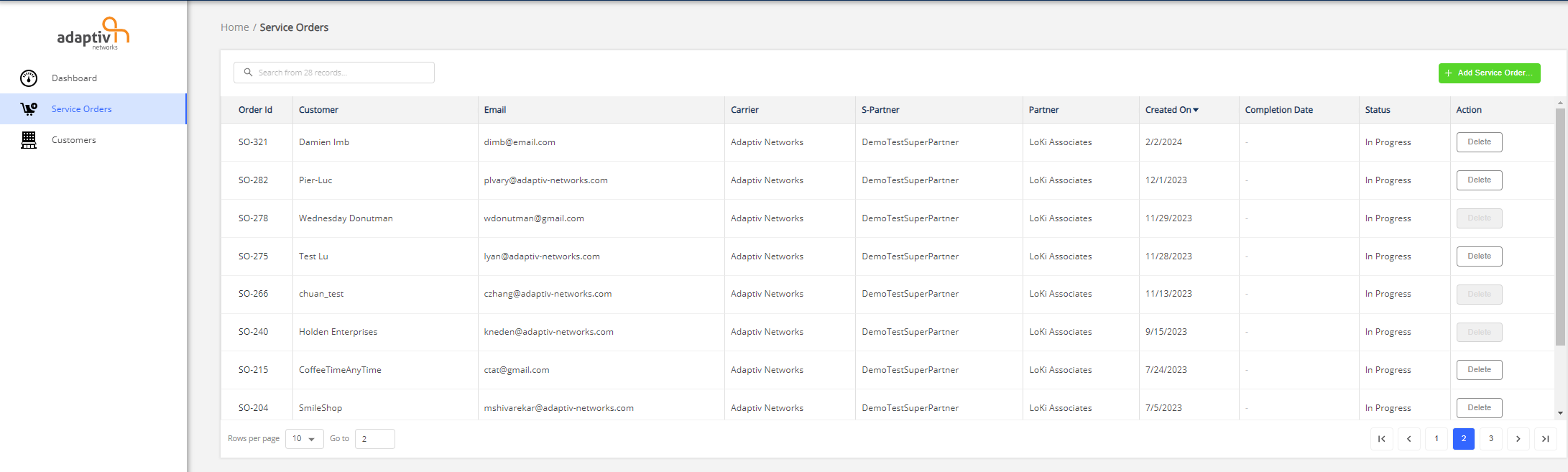
A service order represents the requirements of a customer. The Service Orders module contains all service orders created for customers. It includes details of hardware, license, and configuration to be deployed at the customer site. Creating a service order is necessary to configure and deploy sites.
To access service orders, click Service Orders from the left-side menu. This action opens up the Service Orders table. The Service Orders table shows a list of service orders for all customers. The table allows you to create a new service order, open a service order, and delete a service order (under certain conditions).
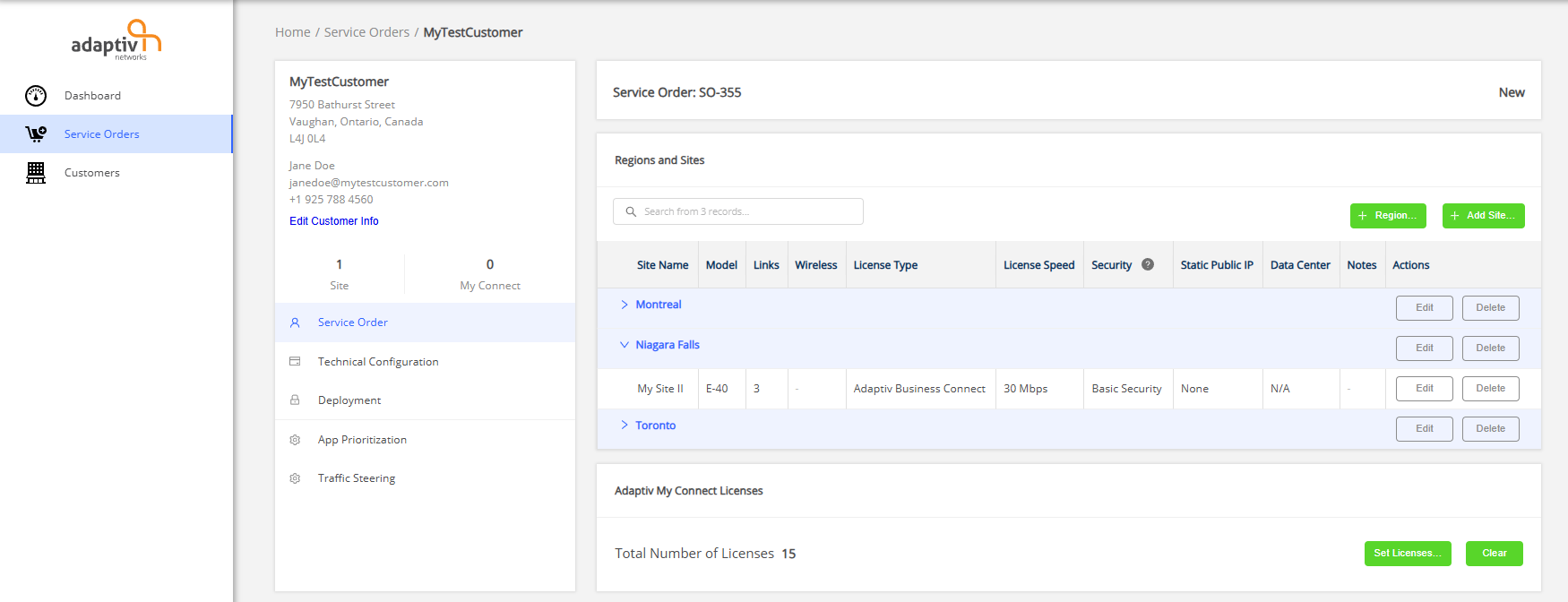
On the service order page, the left panel shows the customer's name, address, phone number, and email. By selecting Edit Customer Info, you can edit the customer's details. Along with customer information, it also shows the number of regions and sites in the order. If the service order contains My Connect licenses, the left panel also shows the number of activated licenses at any given time. The panel also provides access to all components of a service order page.
Service Order
The Service Order page contains the Regions and Sites table, which allows you to set up regions and sites for a customer. By default, all sites are grouped by region. For example, if a customer has 5 sites in Montreal, then Montreal can be added as a region, and all 5 sites can be grouped in this region. A site contains all the information necessary to configure an Edge device based on customer requirements. The Adaptiv My Connect Licenses section on this page enables you to set up My Connect licenses.
Region is defined as a geographical area that is common to a group of sites.
Site is defined as the physical location of Edge device.
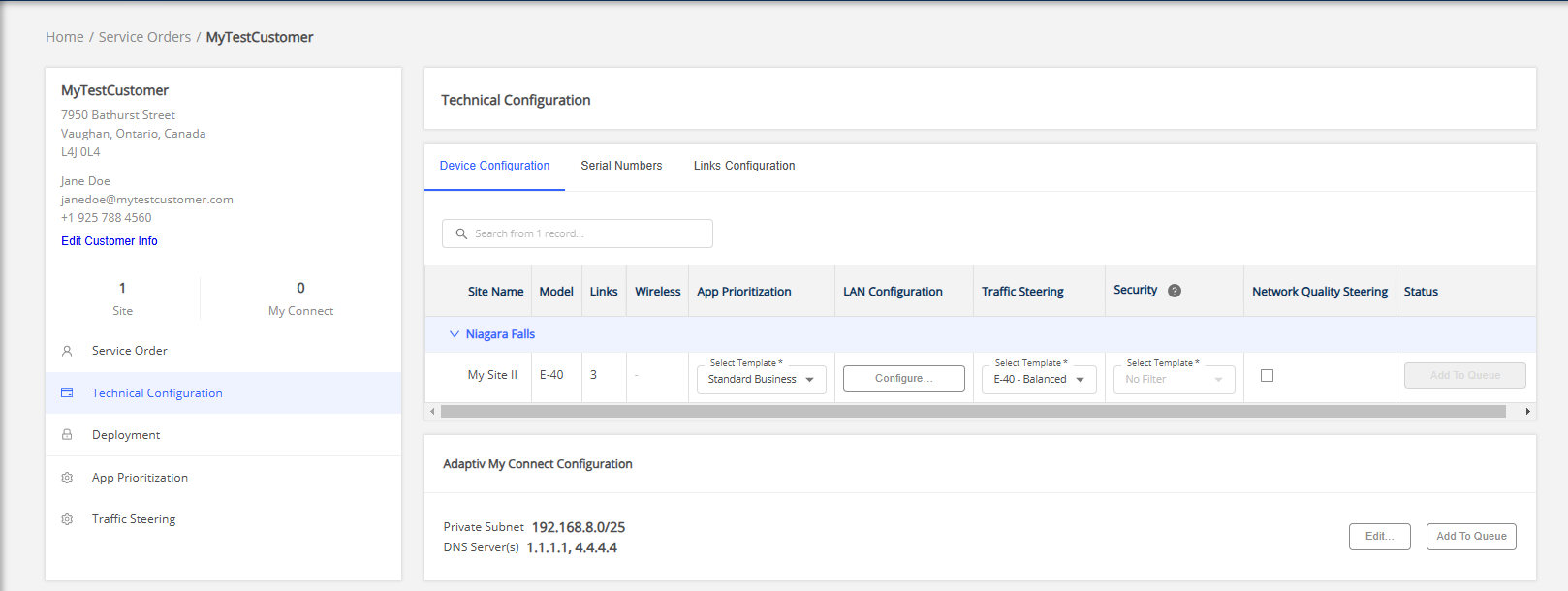
Technical Configuration
Deployment
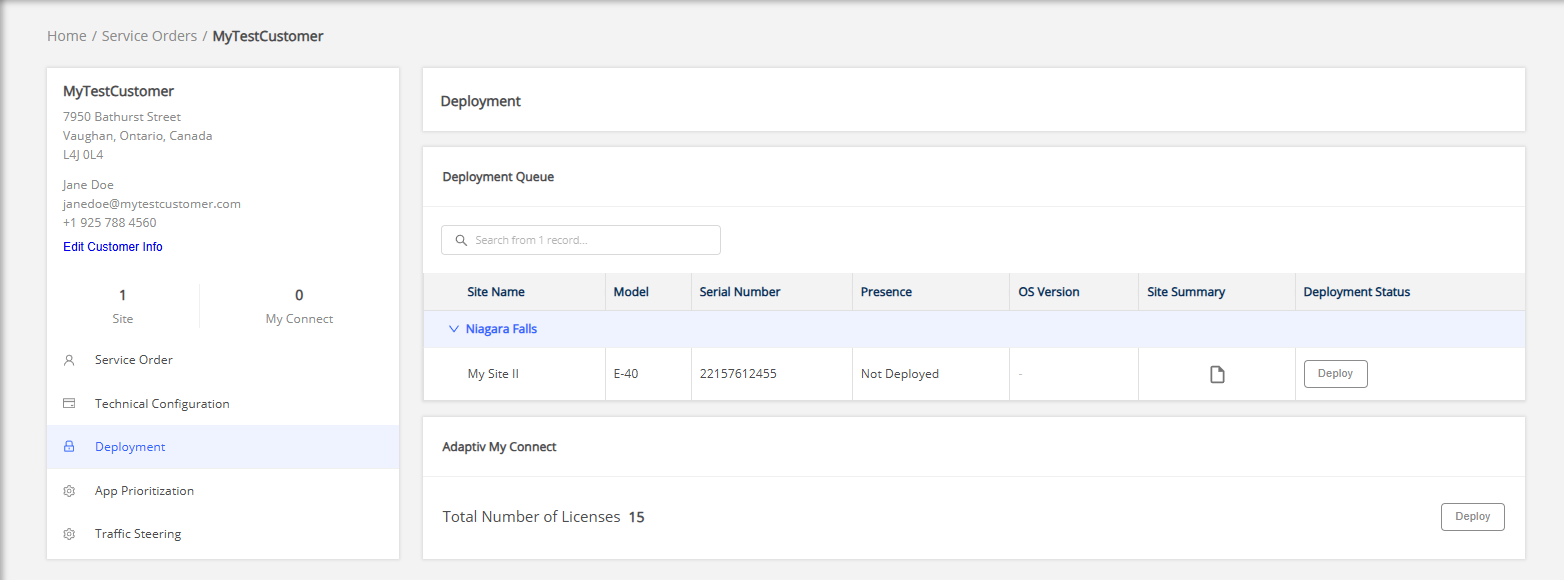
Once the sites and/or My Connect licenses are added to deployment queue they will be listed on the Deployment page. This page displays the deployment status of your Edge device, as well as other information such as the device’s current online or offline status, and the OS version running on the device. You can also see a summary of site configurations on this page.
Application Prioritization
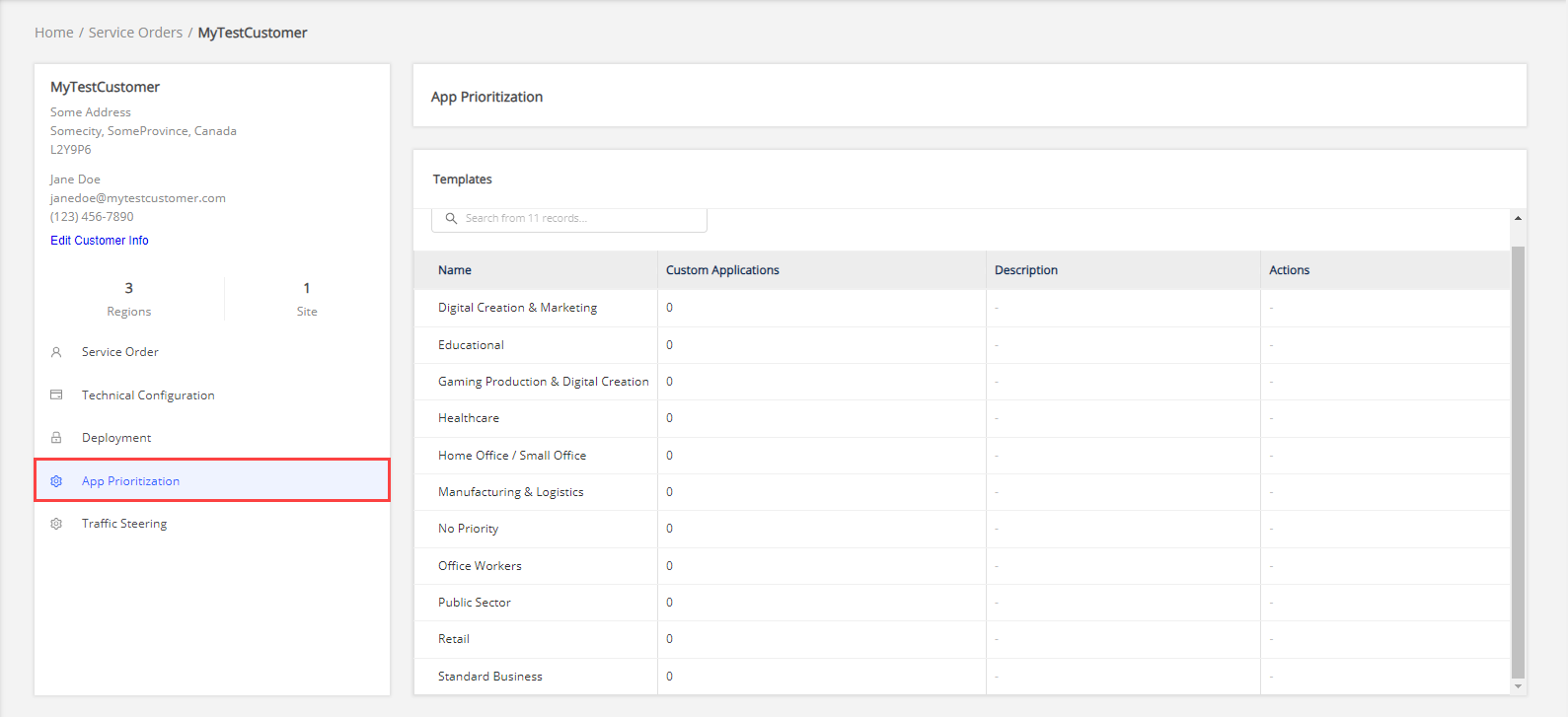
The Templates table on the App Prioritization page contains a list of application prioritization templates. You can open each template from the list and view the prioritization groups within that template.
Traffic Steering
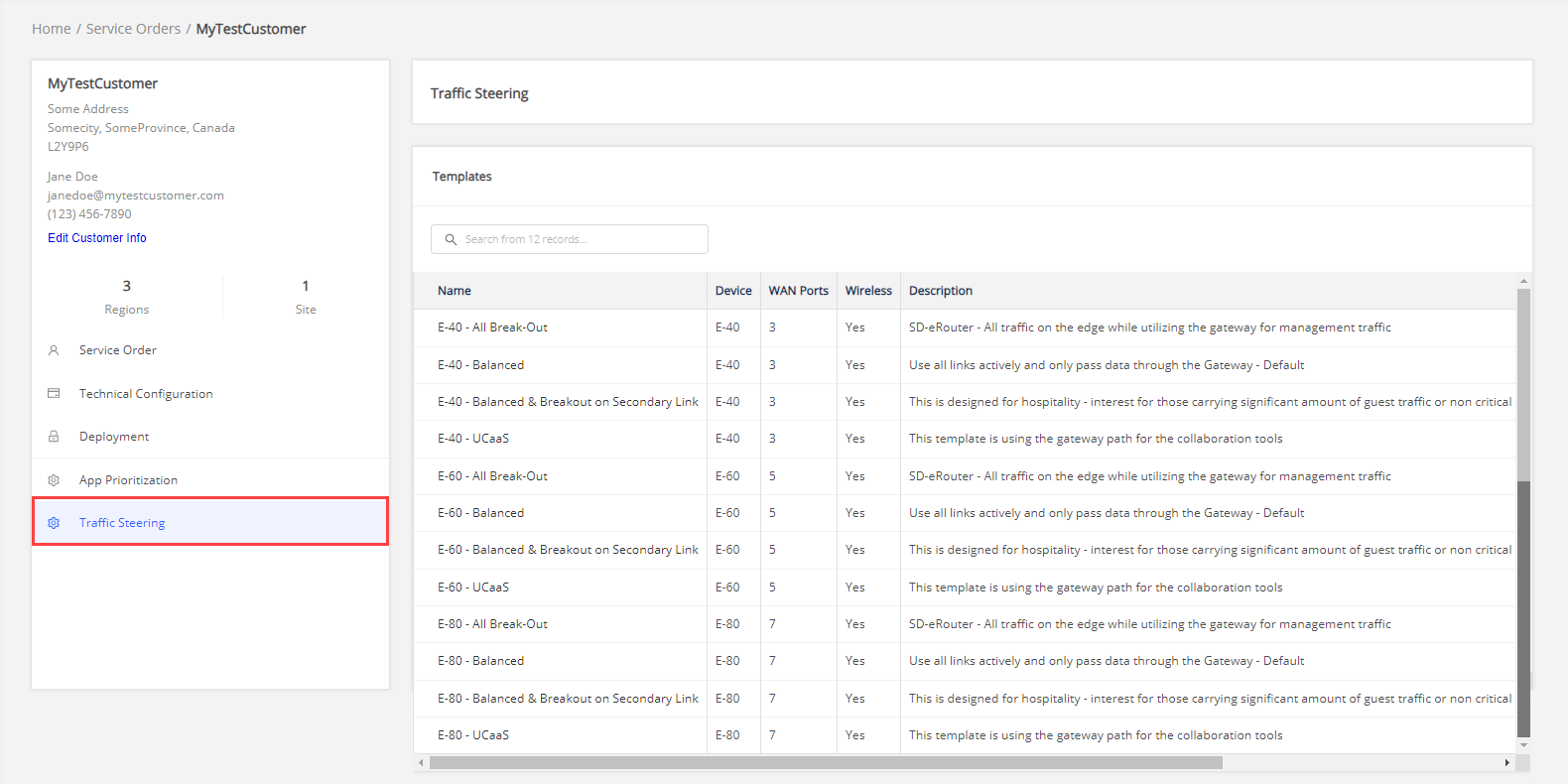
The Traffic Steering page contains a list of traffic steering templates. You can open each template to view the traffic steering and application steering profile component of each profile.
Related Topics
TERMS OF USE | PRIVACY POLICY | USER LICENSE AGREEMENT