Deploying Service Orders
Deploying service orders includes deploying sites as well as My Connect licenses. When a site is deployed, the Adaptiv Cloud Orchestrator (ACO) sends the configuration to the Adaptiv Connect Network (ACN). The Edge device, when connected to the Internet, communicates with the ACN for a new configuration or configuration updates. As soon as the device is online, the communication between the device and ACN is established, and the deployment is completed. Similarly, when a My Connect order is deployed, the licenses are activated and the configured private subnet is deployed as well.
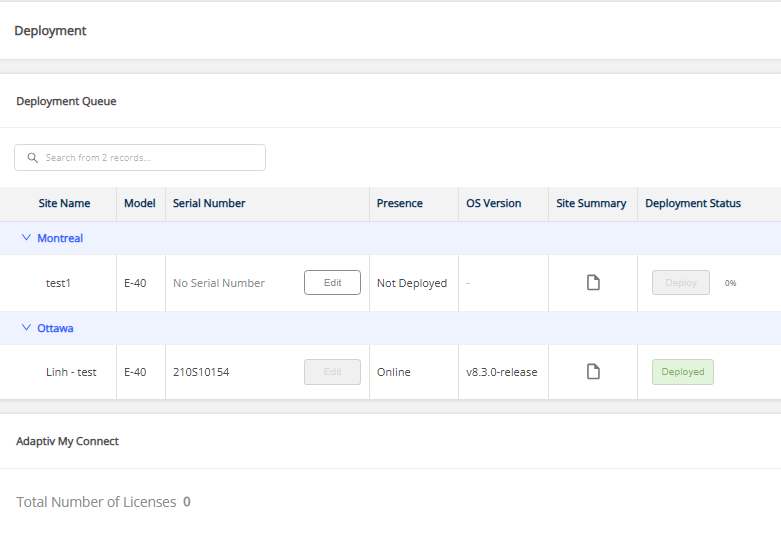
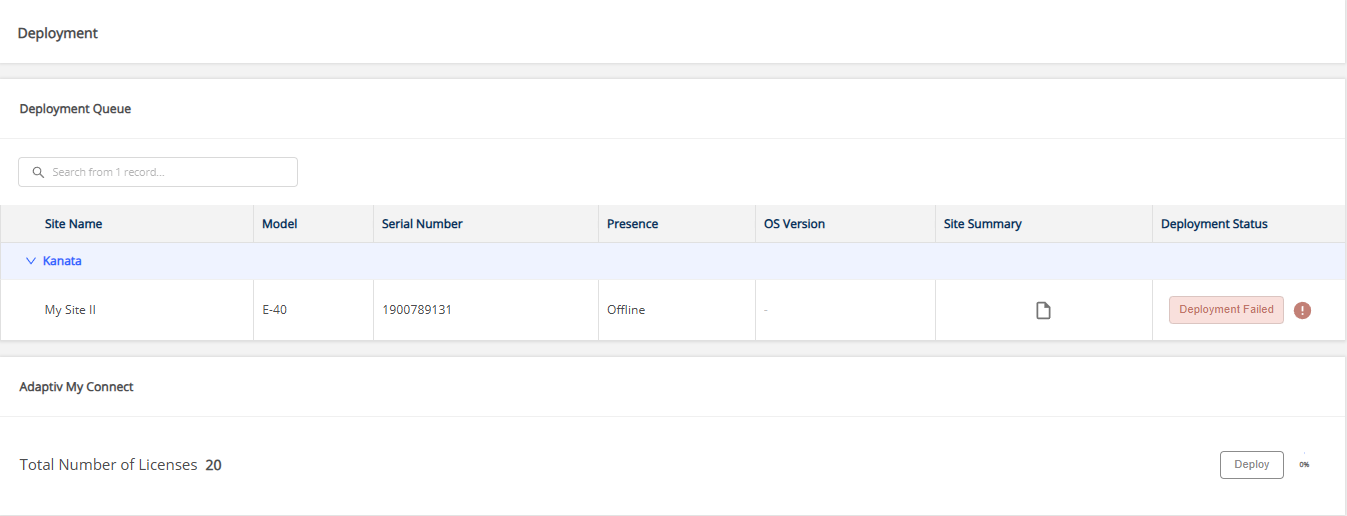
The Deployment page in a service order allows partners to deploy sites and My Connect licenses.

|
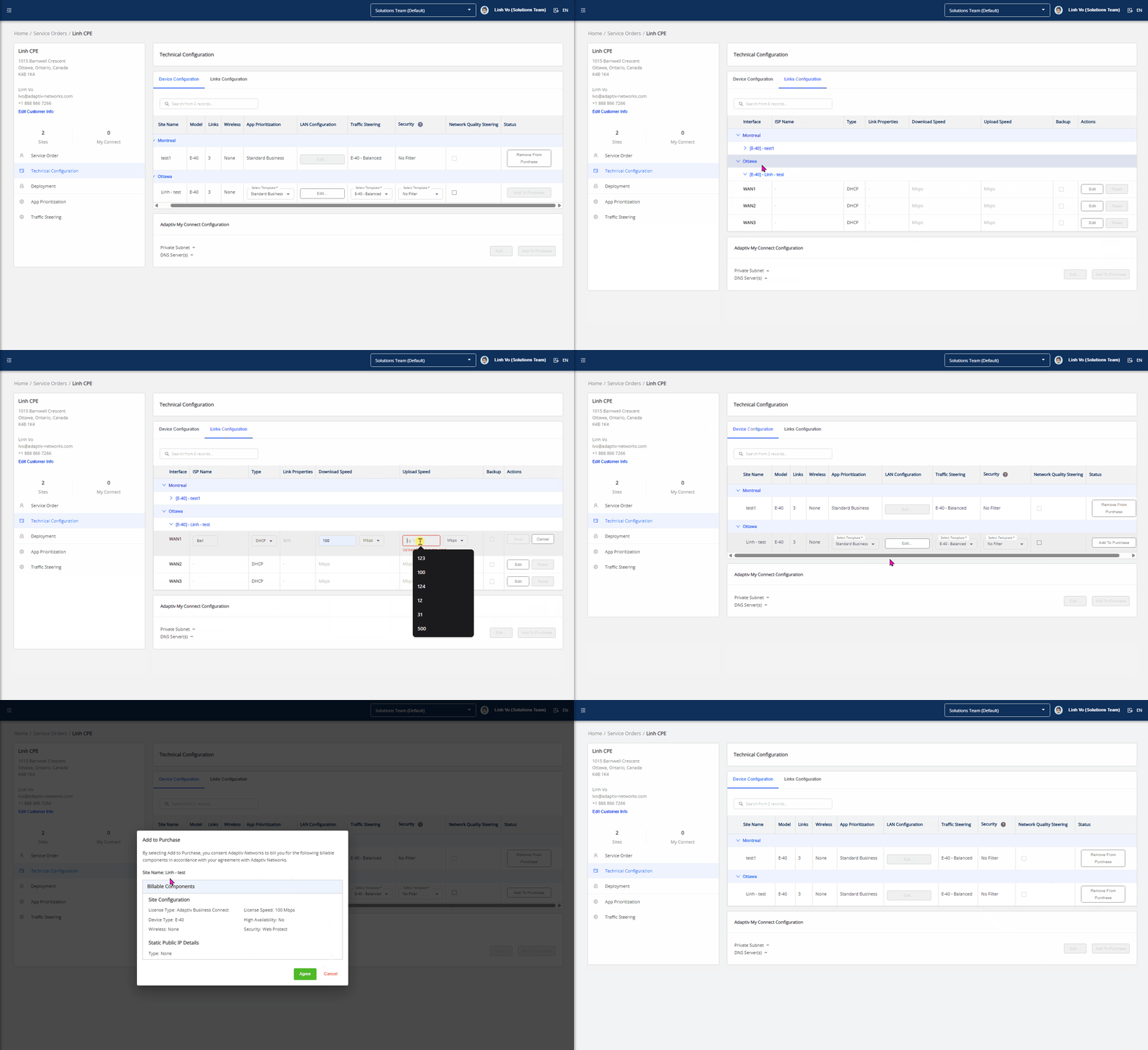
Before you begin the deployment:
|
To deploy a site
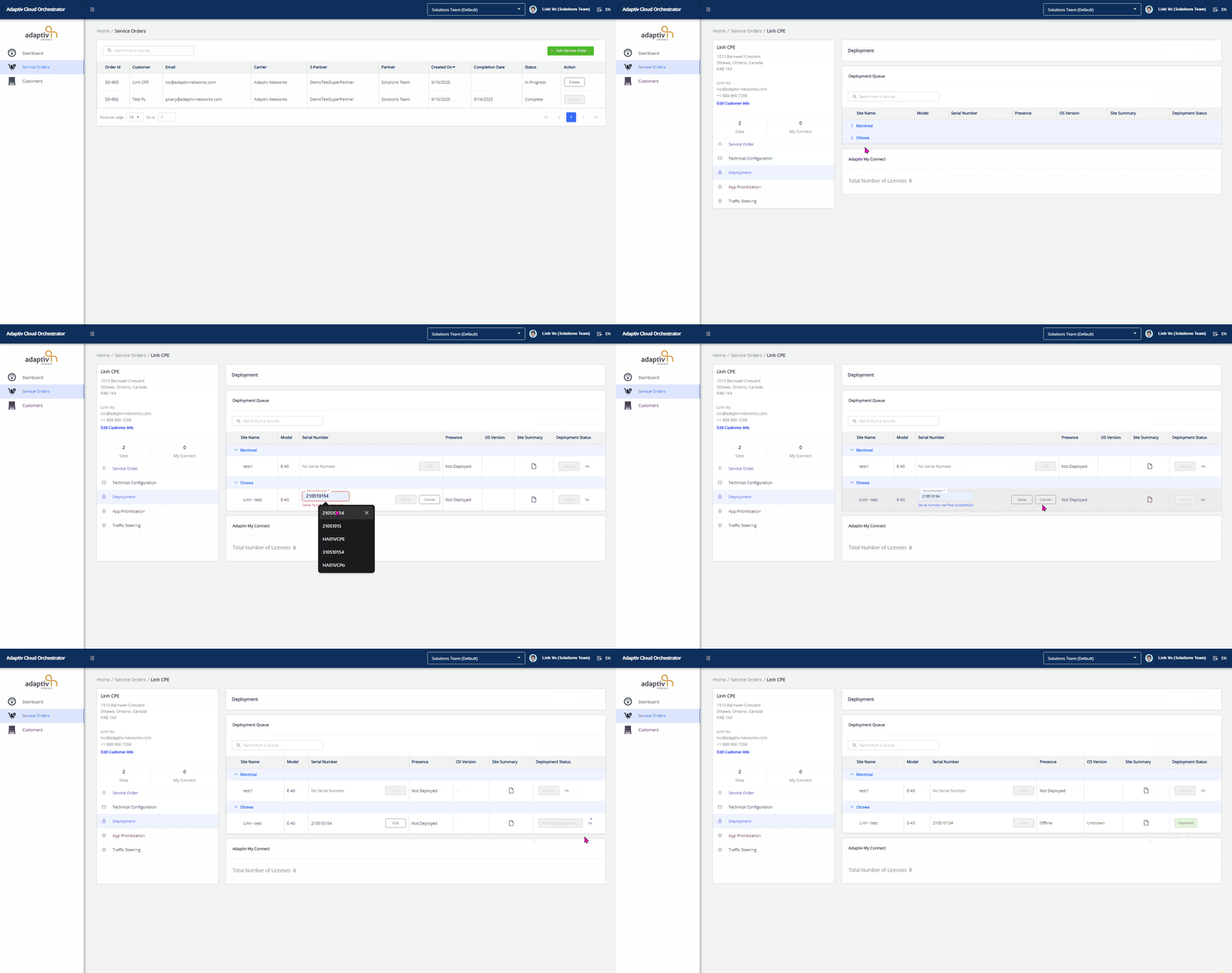
- In the Service Orders table, select Order Id to open the service order that contains the site(s) to be deployed.
- In the left panel, click Deployment to open the deployment interface.
- To deploy a site:
- Select Site to deploy: In the Deployment Queue table, locate the site to be deployed.
- Enter the Serial Number: Ensure that the device's serial number is correctly entered. This is a required condition for proceeding.
See Serial Number for details input and validation. - Initiate Deployment: In the Deployment Status column, click Deploy.
- Select Site to deploy: In the Deployment Queue table, locate the site to be deployed.
Monitor Deployment Progress
When the sites are deployed, a deployment status indicator records the status of deployment in percentage. Additionally, it indicates whether the deployment was a success of failure.
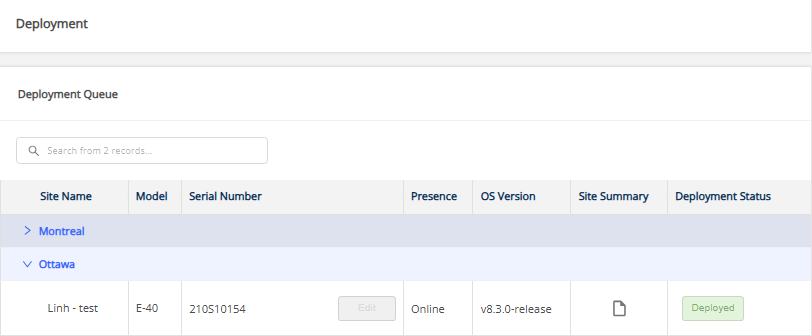
1. Successful Deployment
- The Deployment Status column updates to Deployed.
- The Presence column shows the device status as Online.
- A Site Summary is available, showing a consolidated view of all configurations applied to the site.
2. Failed Deployment
- The Deployment Status column updates to Deployment Failed.
- The Presence column shows the device status as Offline.
- In this case, partners must contact Adaptiv Support to resolve the issue and redeploy the site.
To deploy My Connect licenses
- In the Service Orders table, select Order Id to open the service order containing My Connect licenses to be deployed.
- On the Technical Configuration page, go to Adaptiv My Connect Configuration and click Add to Purchase.
- On the Deployment page, go to Adaptiv My Connect and click Deploy.
When the licenses are deployed, the status of deployment changes to Licenses Activated. If the deployment fails, the status will change to Deployment Failed.
TERMS OF USE | PRIVACY POLICY | USER LICENSE AGREEMENT