My Connect Dashboard
The My Connect dashboard offers a comprehensive view of licenses, network configuration, and My Connect users. Partners and customers with access to the Adaptiv Cloud Orchestrator and active My Connect licenses can view the dashboard.
To access the My Connect dashboard
- From the Partner Dashboard, click Customers
- Select a customer from the Customers table.
- On the Customer Dashboard, click My Connect Licenses.
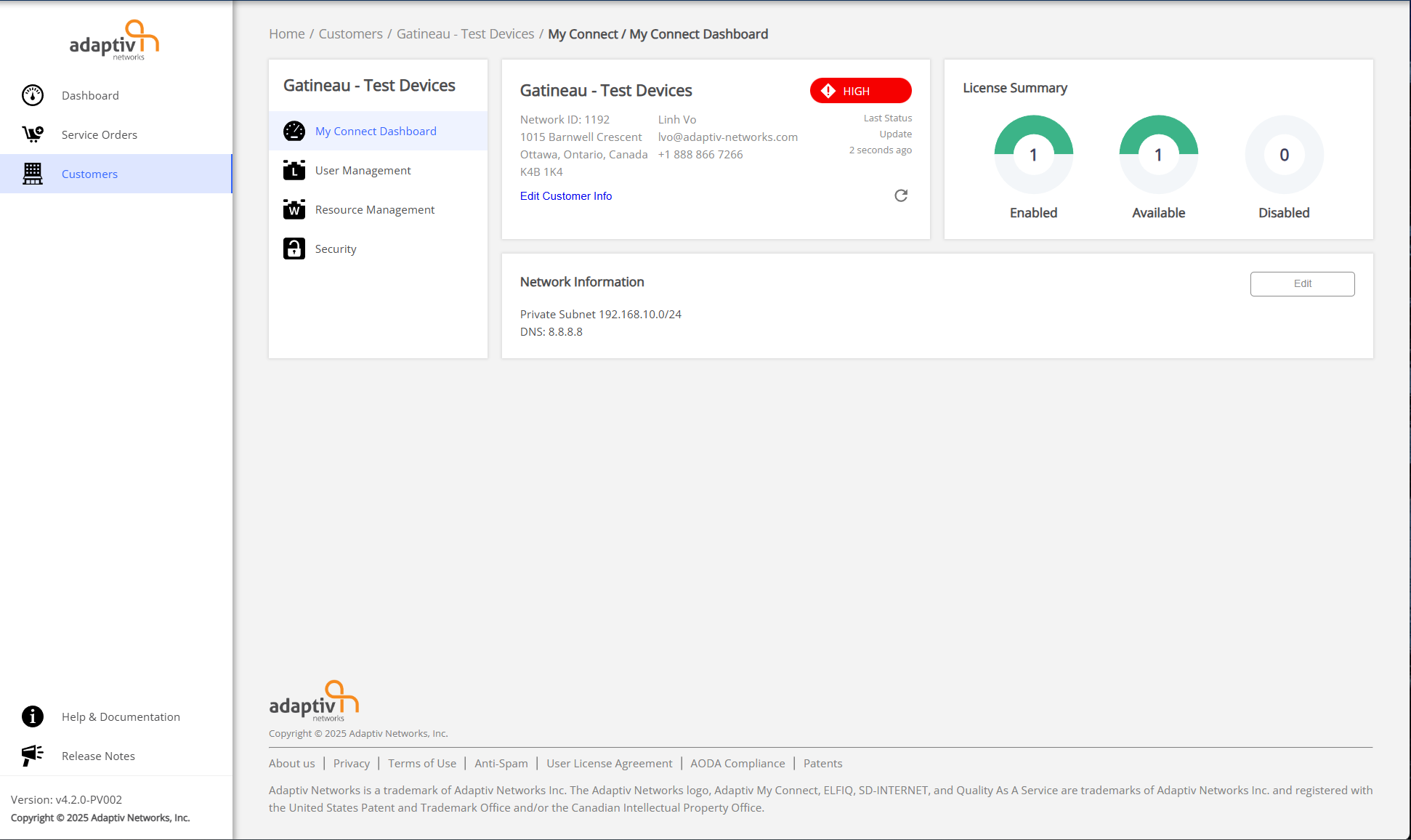
The My Connect dashboard allows you to view the following information and perform actions related to My Connect users.
- General information – This section includes information such as customer account name, address, and the Network ID. It also displays the Refresh button and the current status of the customer network. The customer network status is calculated based on the service severity of sites within the network.
- License distribution statistics – The license statistics show the distribution of available, enabled, and disabled licenses. While the disabled chart shows the number of licenses assigned to users but disabled, the enabled chart shows the number of licenses that are both assigned to users and enabled. The available chart shows the total number of licenses that have not yet been assigned to users.
- Network Information – The Network Information section shows the private subnet, DNS and Security information. It also enables you to modify the network if needed.
TERMS OF USE | PRIVACY POLICY | USER LICENSE AGREEMENT
Copyright © 2026 Adaptiv Networks, Inc. Send Feedback