My Connect Configuration
Once the My Connect licenses have been deployed, the Network Information section of the My Connect dashboard can be used to modify the My Connect configuration.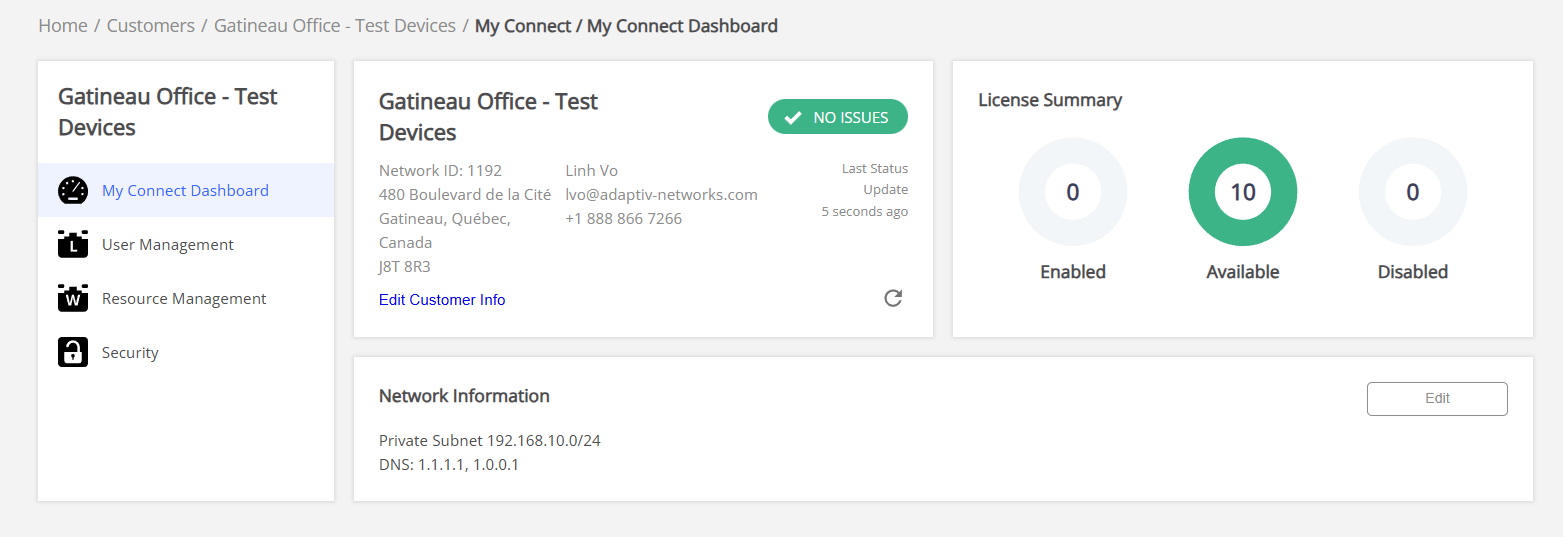
Network Configuration
Private subnet — The private subnet configured for My Connect enables the creation of My Connect endpoints within the network.
DNS Server(s) — The DNS server settings are used for name address resolution. When the subnet is modified in an active My Connect network, the My Connect desktop application will reconfigure itself with the address from the new subnet. While making changes to the existing subnet, you must make sure that the new private subnet can support the existing number of licenses. The configured subnet will not be impacted if a user is deleted or disabled.
To manage My Connect Configuration
- In the Network Information section, click Edit.
- Modify the Private subnet and DNS Server(s) as required

If the new private subnet is not large enough to accommodate the existing number of licenses, the orchestrator will not accept the new subnet and display an error. - Click Save.
An indicator (blue dot) appears next to Network Information and Update is available whenever any changes are made. - Click Update to proceed with the changes.
These indicators disappear after user clicks Update.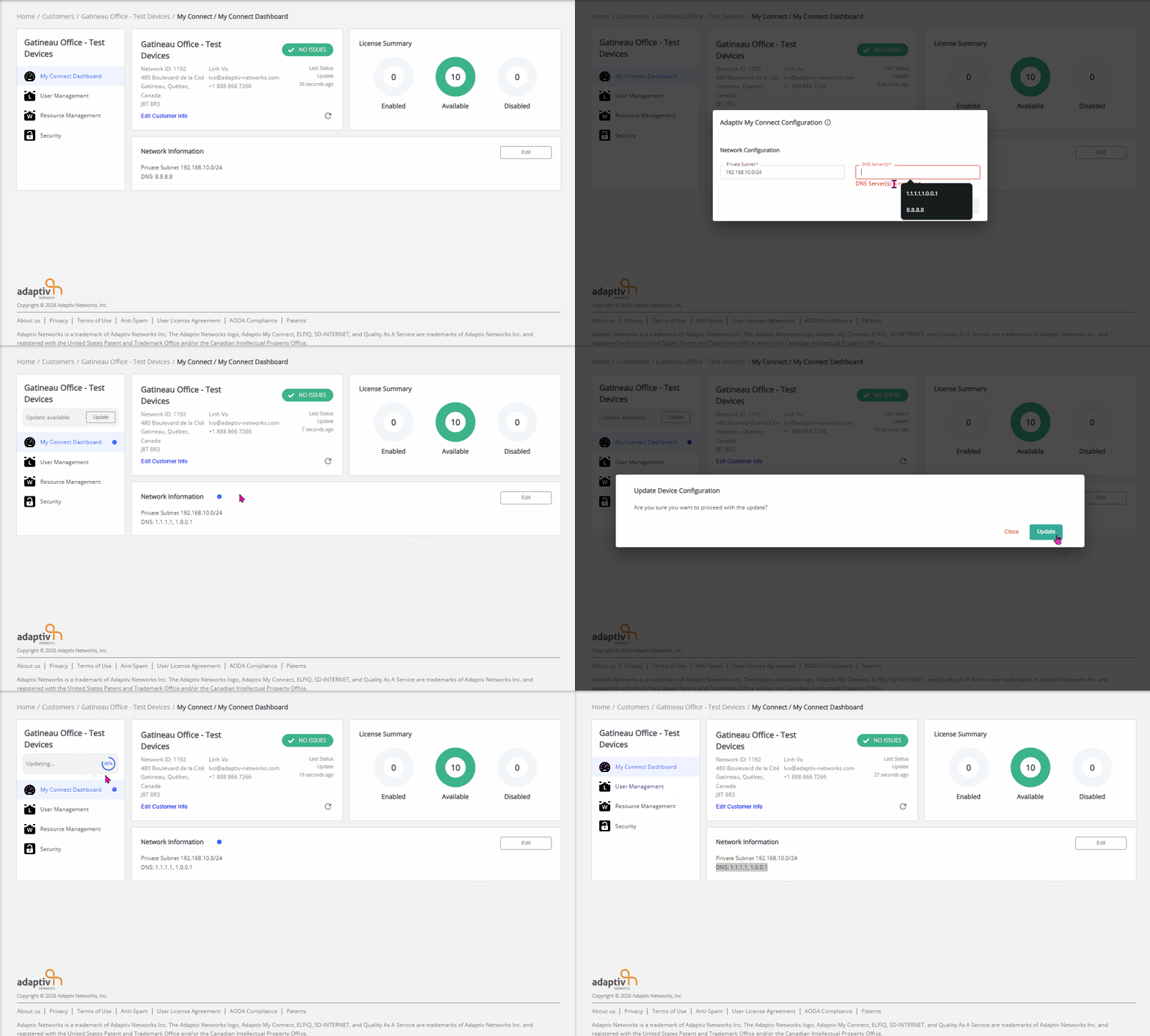
TERMS OF USE | PRIVACY POLICY | USER LICENSE AGREEMENT