Internet Breakout Link
An Internet Breakout is the primary WAN link that delivers breakout traffic to the Internet. It must be configured on either WAN1 or WAN2 port. At any given time, only one link will carry the breakout traffic irrespective of the total number of WAN links connected to the Edge device. A link used for Internet Breakout can also act as a backup link for the overlay tunnel. Overlay tunnel traffic will continue over this backup link in the event the primary link fails. The overlay tunnel maintains a higher priority over the Internet Breakout traffic.
Before you start with Internet Breakout deployment, make sure the following requirements are met:
- LAN interface is RFC 1918 (Source IP Address)
- The source is not a DMZ interface (Public IP Address)
- The destination is not a private network (SD-WAN)
For a new install, users can pre-select a link during order entry. For details, see Processing Orders. 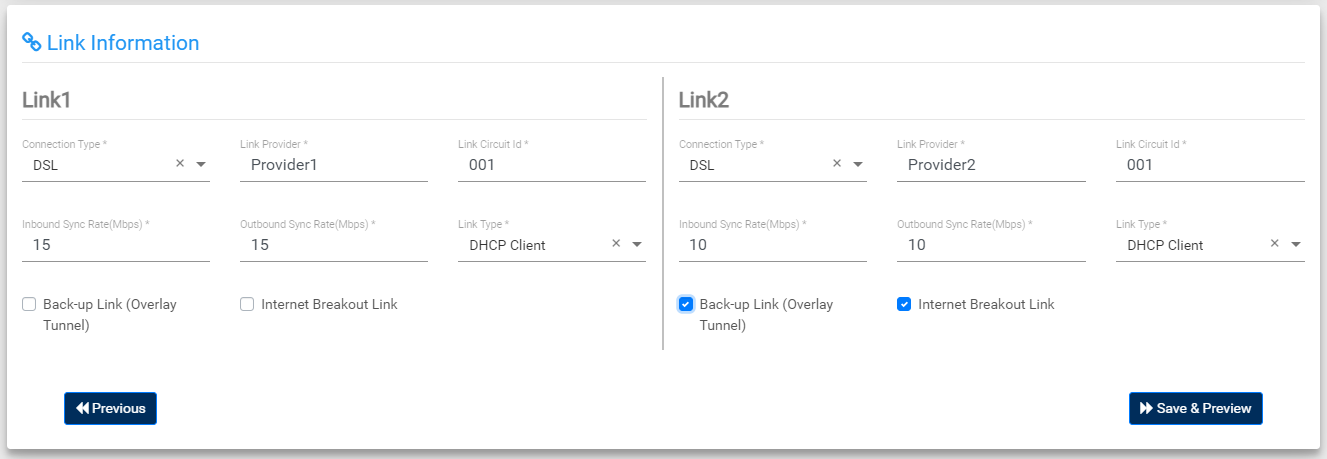
For devices installed at customer premises, the Portal automatically chooses the primary link configured on either WAN1 or WAN2 port for the breakout traffic. The configured backup link will carry breakout traffic only in case of primary link failure. This is called automatic link failover where traffic will automatically failover to a backup link and continue to flow through it till connectivity to the primary link is restored. To learn more about how this works, see Dataplane Configuration.
TERMS OF USE | ANTI SPAM | PRIVACY POLICY | USER LICENSE AGREEMENT | PATENTS