Serial Numbers
Every Edge device is associated with a hardware serial number (SN), which is registered in the ACO database. During deployment, ACO identifies the device based on the SN entered in the service order and sends the configuration to the correct device. If the SN entered is mismatched, unregistered, or already in use, deployment will fail. To prevent such errors, this feature introduces Serial Number validation and verification checks.
A serial number is considered invalid if:
- It is already in use for another device (same or different customer).
- It does not match the expected device model type.
- It is not registered with ACO database.
SN validation will be required before a site can be deployed from the Deployment Queue table.
 | For Virtual Edge deployments, the serial number is a unique identifier provided by the Adaptiv support team. Please consult the Adaptiv support team for more information on this scenario. |
How to Input a Serial Number
-
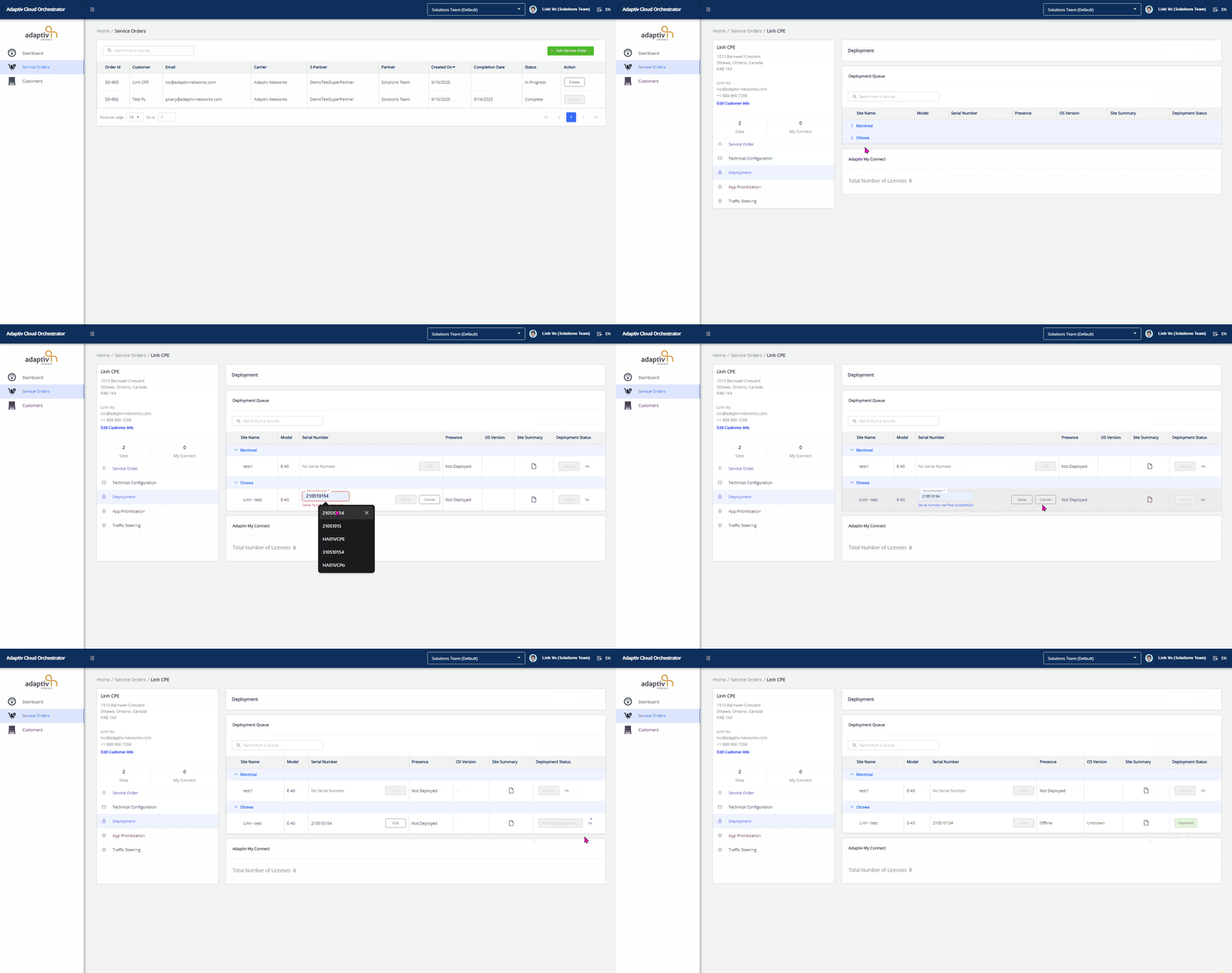
Click Edit to input Serial Number.
-
Enter a valid Serial Number.
-
Click Verify to check the validity of the serial number and ensure it matches the expected device or Cancel to discard.
-
If valid → Message: “Serial number verified successfully.”
-
If invalid → An error message is displayed (see Verification Fails below)
-
- Click Save confirm and proceed. Once verified, the SN is accepted and deployment can proceed.
When Serial Number Verification Fails
- Device Model Mismatch
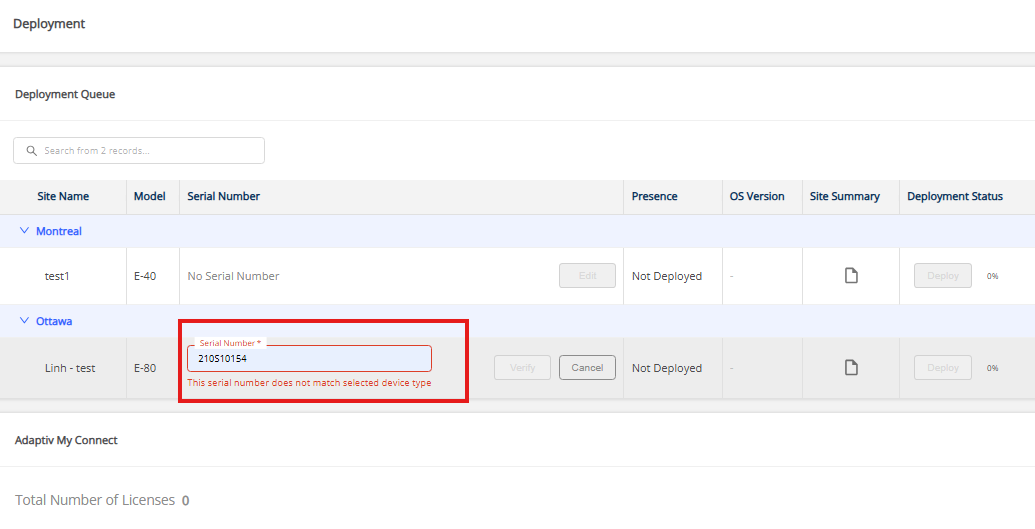
- The entered serial number does not match the expected device type. Each device type (E-40, E-80, etc.) follows a specific serial number format. The serial number may be valid and registered in ACO, but if it corresponds to a different device model than the one selected for the site, validation fails.
In the screenshot below, if a serial number that is valid for an E-40 device is entered for an E-80 device → the system will detect a mismatch and fail validation. - Error Message: “This serial number does not match selected device type.”
- The entered serial number does not match the expected device type. Each device type (E-40, E-80, etc.) follows a specific serial number format. The serial number may be valid and registered in ACO, but if it corresponds to a different device model than the one selected for the site, validation fails.
- Duplicate Serial Number
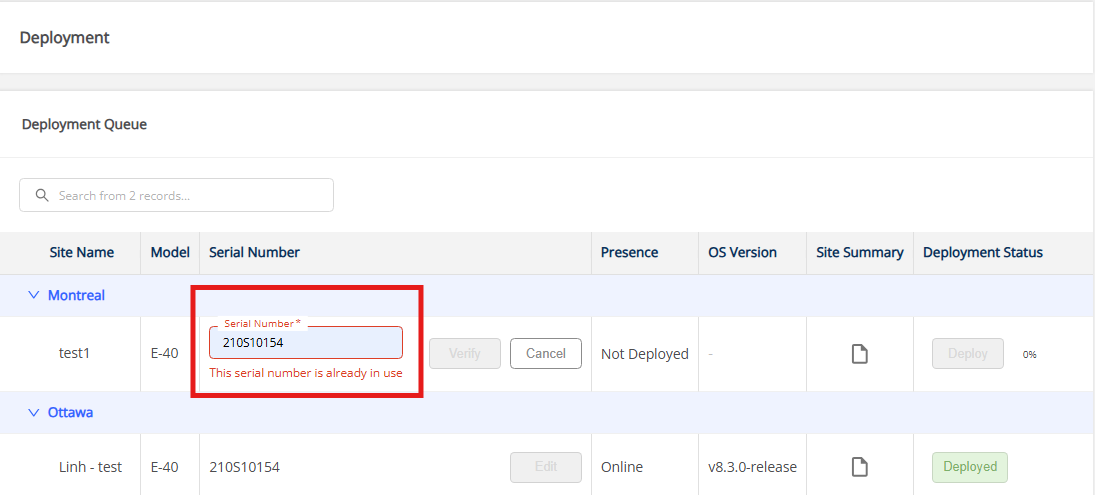
- Serial Number is already configured or deployed to another site.
In the screenshot below, the serial number is already configured and deployed for the site in Ottawa. It cannot be reused for an E-40 device at the site in Montreal. - Error Message: “This serial number is already in use.”
- Serial Number is already configured or deployed to another site.
- Unregistered Serial Number
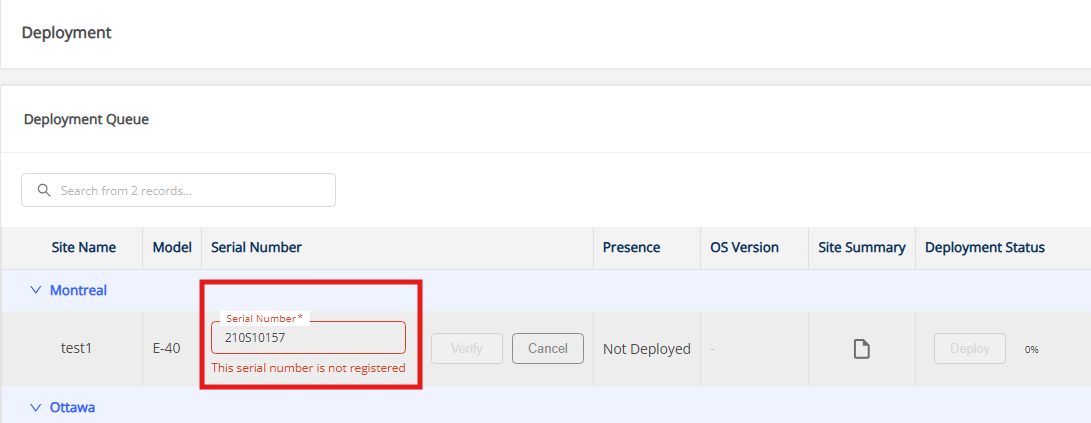
- The system can not find a matching record for the provided serial number in the ACO database → Serial Number is not registered in ACO.
- Error Message: “This serial number is not registered.”
| Each Serial Number must be registered in ACO Database by the Adaptiv support team. If unregistered, ACO cannot identify the device and cannot deliver configuration or traffic. |
TERMS OF USE | PRIVACY POLICY | USER LICENSE AGREEMENT