Configuring Sites
Site configuration entails setting up the Edge device's LAN and WAN interfaces as well as selecting pre-defined templates for application prioritization, traffic steering, and site security. Configuration is the next step in finishing and deploying a service order. In a service order, the Technical Configuration page enables you to configure a site. A site is configured in three steps:
To configure a site
In order to configure the sites, start by opening a service order from the Service Orders module. In the left panel, click Technical Configuration to open the configuration page.
- Device Configuration – The Device Configuration tab enables you to define LAN interface configuration and select a template for application prioritization and traffic steering. It also allows you to enable or disable the network quality steering algorithm for your site. Based on the type of security selected in the service order, you can select and apply a security template to the site. From here, you can add your site to purchase.
- Links Configuration – Links Configuration tab allows you to enter information about the internet (ISP) as well as wireless connection(s) to be connected to the device.
After completing configuration, the Status column in the Device Configuration tab allows you to add site to purchase by clicking Add To Purchase.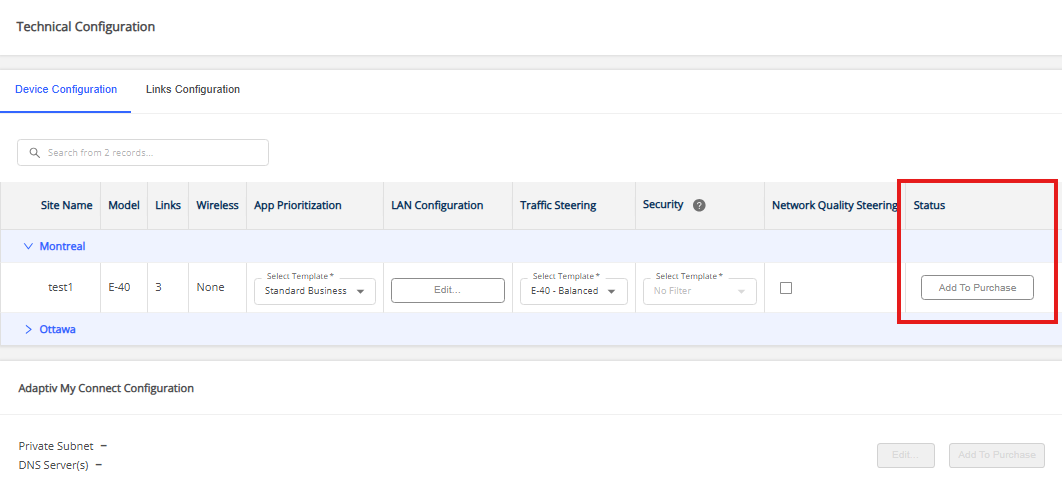
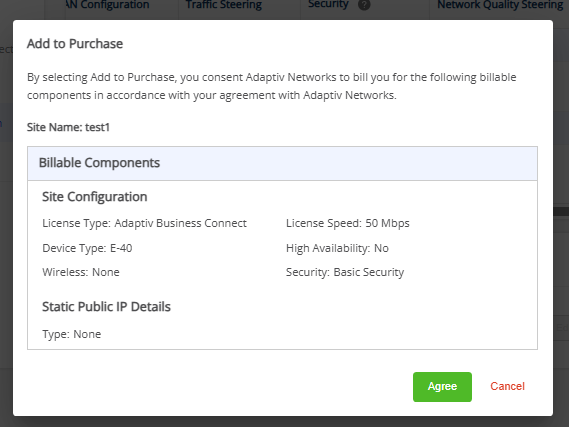
Add to Purchase confirmation dialog
After clicking Add To Purchase, a confirmation dialog appears. This dialog informs the user that:
- They are confirming their purchase with Adaptiv Networks.
- Billing will commence as soon as the site is added to the deployment queue
- Agree – Confirms the purchase and initiates billing.
- Cancel – Discards the action and does not proceed with the purchase.
To edit a site configuration
- For a site with a Status that is not Add To Purchase, simply select the parameter and proceed to edit the information.
- For a site with the Status = Add to Purchase or a site that has been already deployed, first remove the site from the purchase by clicking Remove from Purchase and then proceed to edit the information.
If the site is in read-only mode, it cannot be removed from the purchase and the device configuration cannot be modified. See Adaptiv Managed Sites.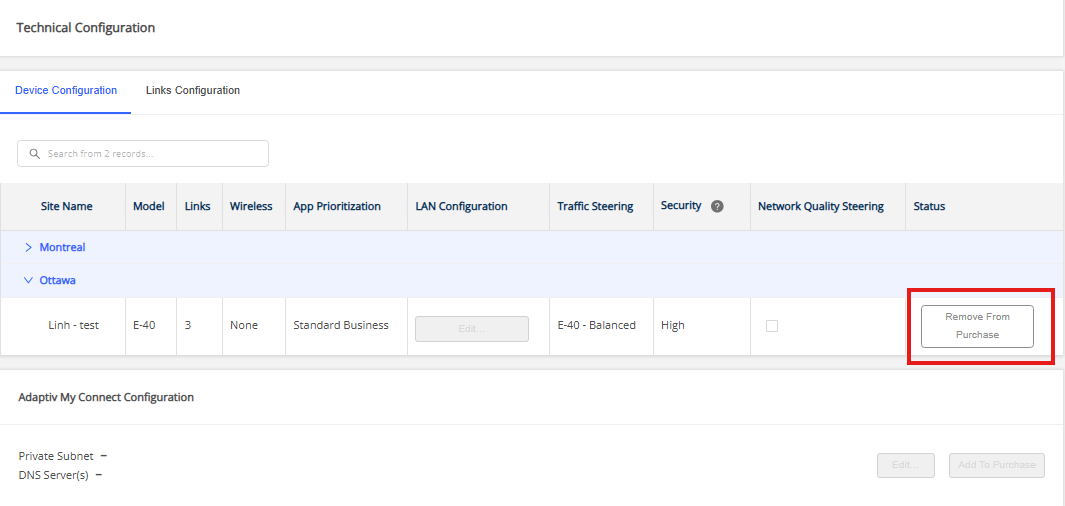
TERMS OF USE | PRIVACY POLICY | USER LICENSE AGREEMENT