Use case: Specifying container image tags as a property reference
When defining the containers you want to run in SC//Reliant™ Platform Manager, there is data specified at both the node group and node levels. We recommend taking advantage of using a property reference when referencing the tag for each container image when configuring your containers. A property reference is used to specify a property value as a variable as opposed to a raw value. Using a property reference, you can run a common container image tag across the nodes in a node group while also giving you the ability to deploy a different container image tag on an individual node. This gives you a way to test a new container image tag on a node before doing a wider deployment.
The Cluster Docker Resources hash is where you specify your container configuration and you use the Tag property to specify the container image tag to use.
Updating the container configuration in SC//Reliant Platform Manager to use a property reference for image tag
For this use case example, we are going to configure the Cluster Docker Resources hash on a node group to use a property reference for a container image tag. We will then add the container image tag property to both the node group and node where we will define values to use.
- At the node group level, choose Node Group Properties to add the
Docker Container 1 Tagproperty to the node group. This will allow you to define a common container image tag for the container across all nodes in the node group.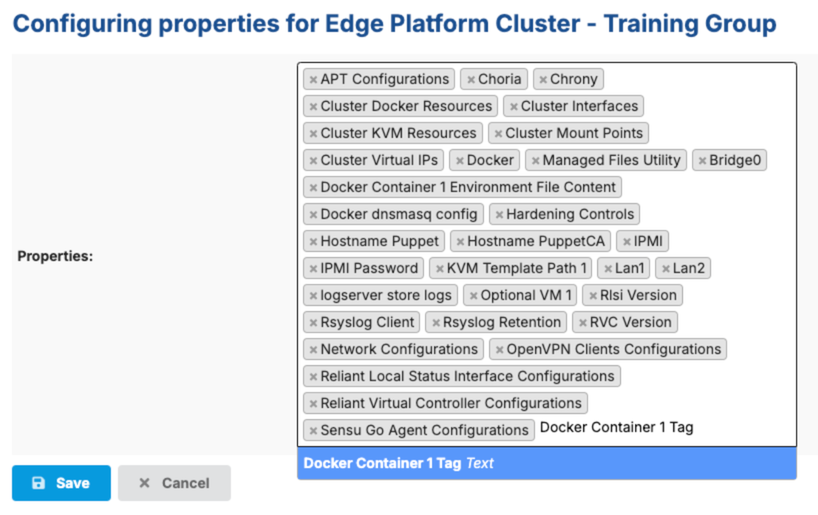
- At the node group level, edit the list of Node Properties and add the
Docker Container 1 Tagproperty. This adds theDocker Container 1 Tagproperty to each node in the node group which allows you to specify a container image tag at the individual node level. Any property value specified at the node level overrides the property value specified at the node group level.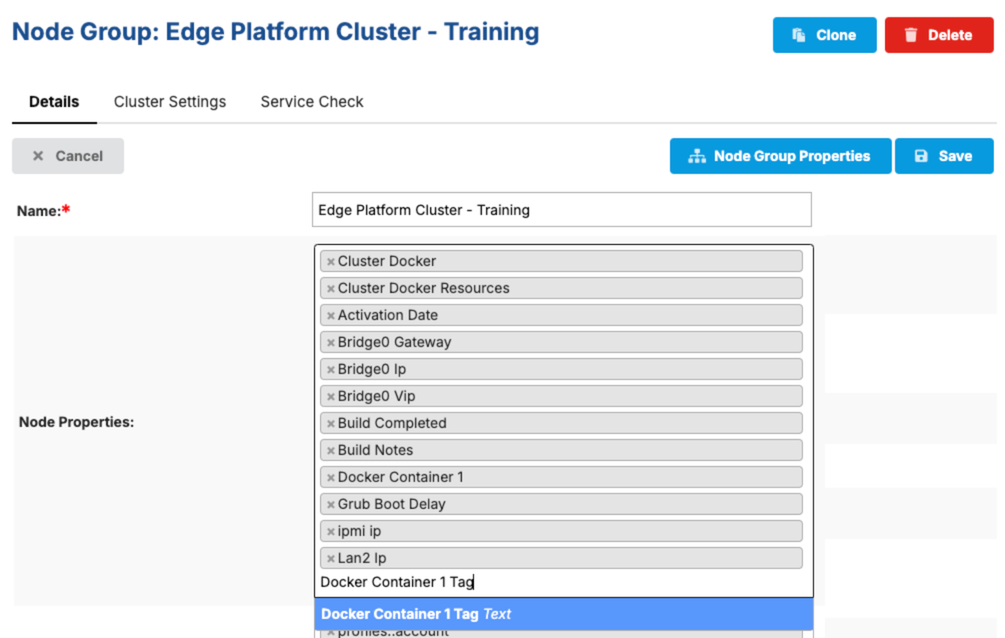
- At the node group level, in the Cluster Docker Resources hash, add your container. When specifying the Tag property, use a property reference for the tag value. If you don't have a property available to use, open a ticket with SC//Reliant Support or contact your Account Manager to request a new property to be created. In the following example, we have a property named
Docker Container 1 Tagthat is used.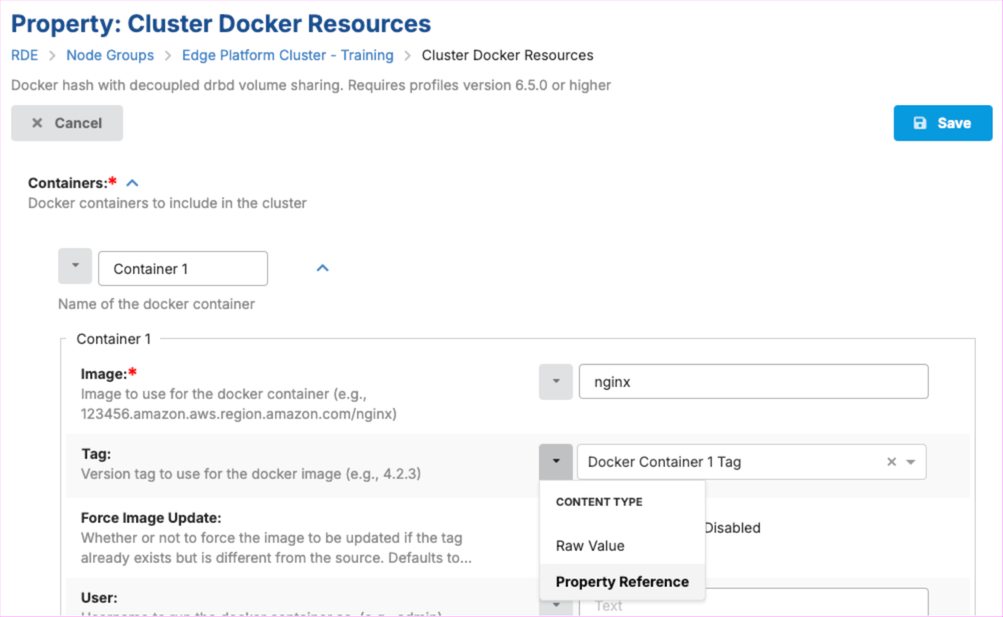
- Edit your node group and for the
Docker Container 1 Tagproperty specify the common container image tag value for your container to be deployed across all nodes in the node group.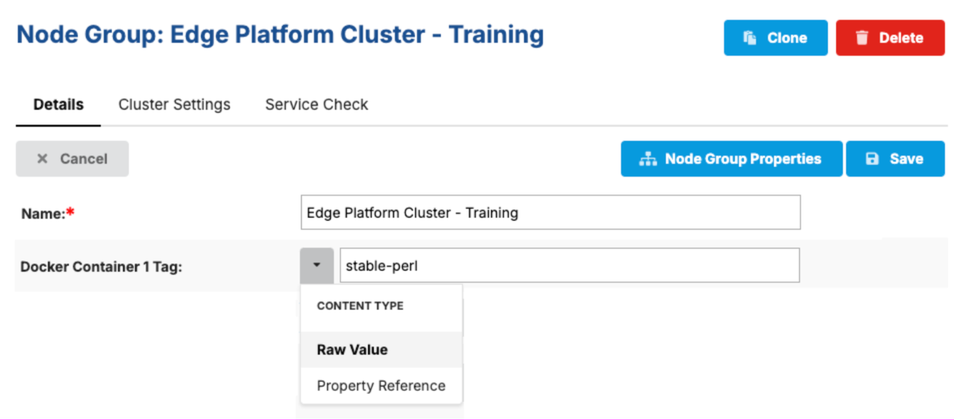
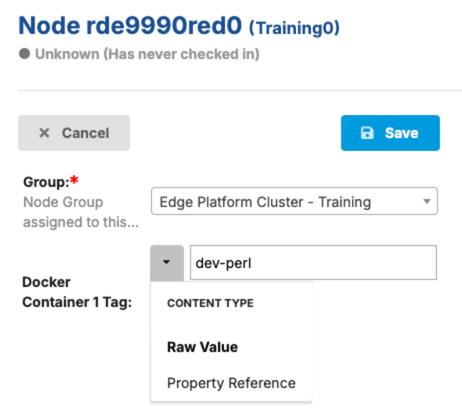
- For each node that you want to run a different container image tag than the tag specified at the node group level, locate the Docker Container 1 Tag property and specify the tag to use as a raw value. In the following example, we are going to specify a tag of
dev-perlto test on this node. The node value is going to override the property value at the node group level once the changes are deployed.