Download the Firmware File from the File Server
Before upgrading the firmware using the Management Interface, you must download the required firmware file from the file server.
Follow the steps below to download the firmware file.
 |
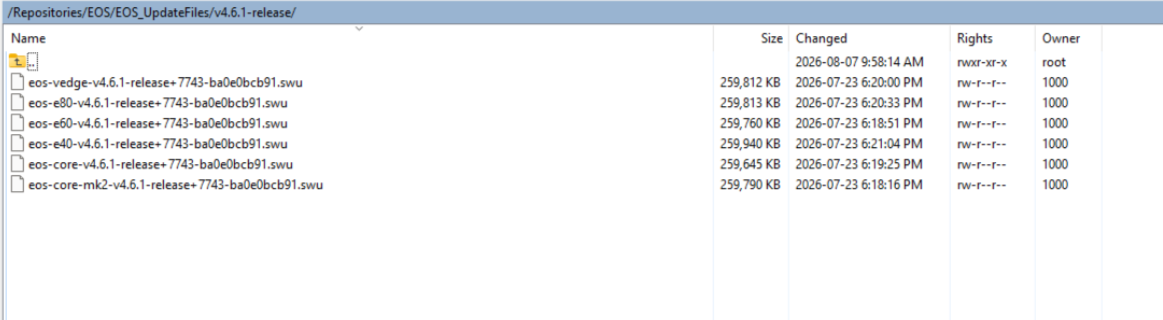
Starting with EOS 4.5.0, the firmware files are distributed in the .swu format instead of the .bin format. |
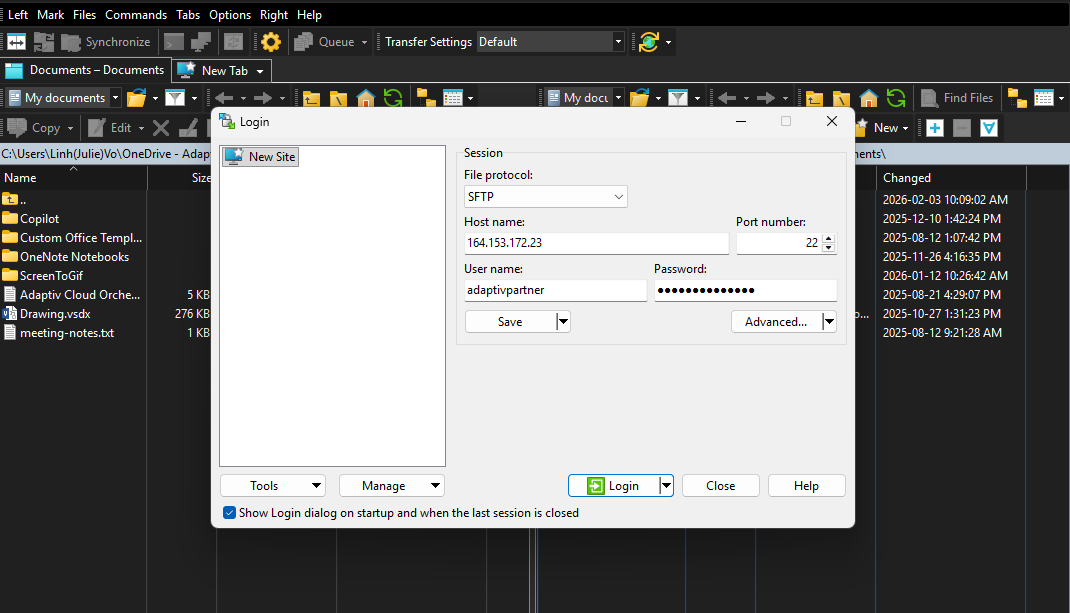
- Open the file server using WinSCP or any SFTP client, and log in with the credentials provided by the Adaptiv support team in the ticket.
- Server IP (Host Name)
- Port
- Username
- Password
- After logging in, navigate to the following directory: Repositories/EOS/....
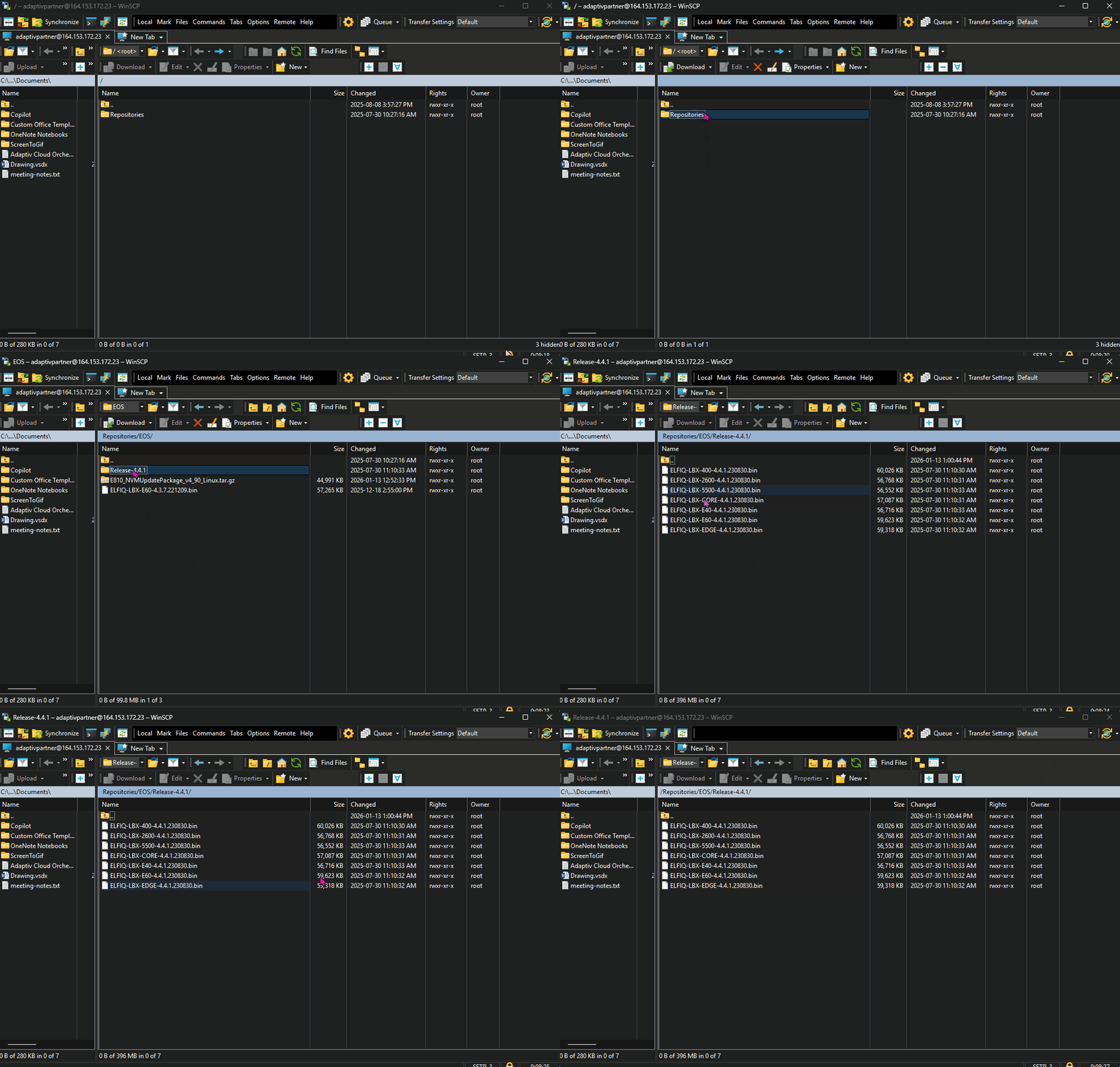
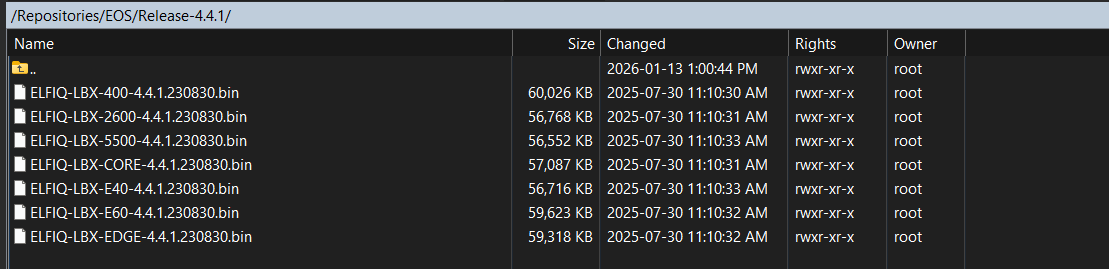
- Select the firmware file that matches your device model and download it to your local system.
Example: Firmware file for EOS version 4.4.1
TERMS OF USE | ANTI SPAM | PRIVACY POLICY | USER LICENSE AGREEMENT | PATENTS
Copyright © 2026 Adaptiv Networks, Inc. Send Feedback