Security
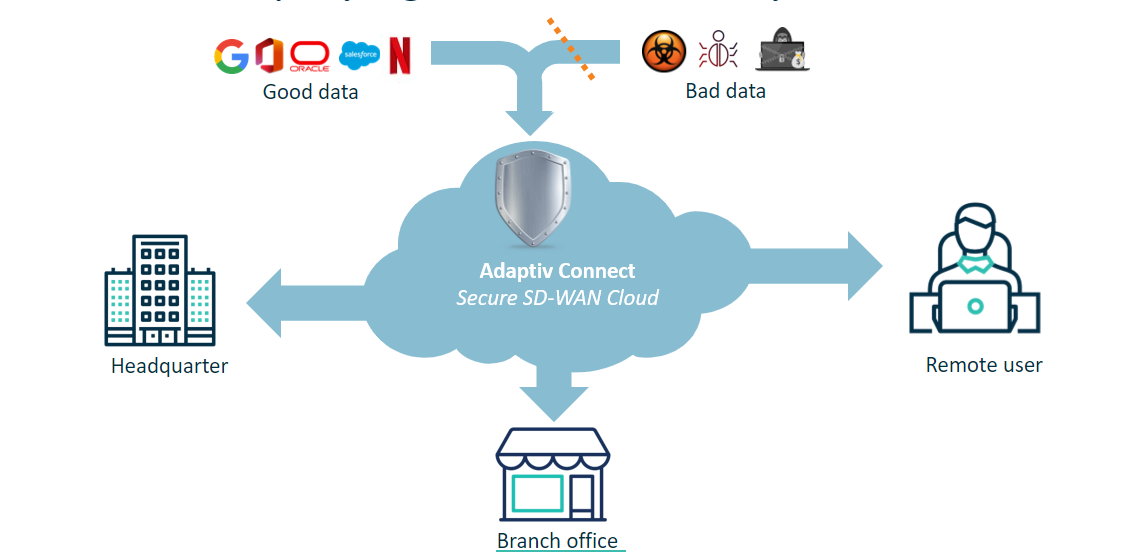
The security templates offered by Adaptiv Networks enable customers to manage the traffic data flowing through their networks. Depending on the level and type of security applied to a customer site, this feature will block malicious software, illegal content, and other threats that could compromise the safety of the customer's network. In addition to security, it can also block high-traffic websites like social media sites and streaming services that typically cause network congestion. Adaptiv offers the following security levels:
- Basic: Includes encryption, zero trust network access, stateful branch firewall, centralized management, and security information and event logging.
- Web Protect: Provides all the benefits of basic security plus URL and DNS filtering. Web Protect offers more than one security template, which progressively restricts the data. Based on the business requirements to allow or restrict web traffic, customers can choose a template and apply it to their site.
- Network Protect (coming soon): It includes all the benefits of basic security, plus a secure web gateway, real-time malware detection, IDP/IPS, and other advanced security features.
When Web Protect is configured, the orchestrator creates policies that explicitly define what resources can be accessed via web traffic. The IP address or domain name of the website is used to identify the targeted web traffic. Domain name information is collected from HTTP headers, TLS handshakes, or DNS requests. In URL filtering, a database of website URLs is maintained and categorized based on their content. Depending on the policy settings, access to certain categories is allowed or blocked.
When the web traffic reaches the Adaptiv Gateway, the Adaptiv Connect Network (ACN) identifies the data. The data is then either allowed through the gateway or blocked based on the security policies created via the orchestrator. At this point in time, the security policies only apply to the gateway traffic.
Web Protect Security templates
The table below shows how each Web Protect template blocks or allows web traffic belonging to various categories. To learn what is included in each category, see Security Template Categories. To learn how to apply a security template to a site, see Configuring Sites.
| Categories | Very Light | Light | Standard | High | Restricted | Very Restricted |
|---|---|---|---|---|---|---|
| Malware |  | | | | | |
| Unknown | | | | | | |
| Legal Risk |  | | | | | |
| Security Risk | | | | | | |
| Explicit Content | | | | | | |
| Advertising | | | | | | |
| Adult Content | | | | | | |
| Gaming | | | | | | |
| Personal Topics | | | | | | |
| Social Media | | | | | | |
| Bandwidth | | | | | | |
| Entertainment | | | | | | |
| Essential Services | | | | | | |
| Consumer Services | | | | | | |
| Search Engines | | | | | | |
| Business Services | | | | | | |
| Education | | | | | | |
TERMS OF USE | PRIVACY POLICY | USER LICENSE AGREEMENT