Example Use Cases
The following examples illustrate how Protocol Settings interact with firewall policies under different conditions.
For configuration steps and feature overview, see Network Settings.
Use case 1 — Block QUIC (No Existing Manual Policy)
- No Manual Block Policy exists that blocks the QUIC protocol in Outbound Policies.
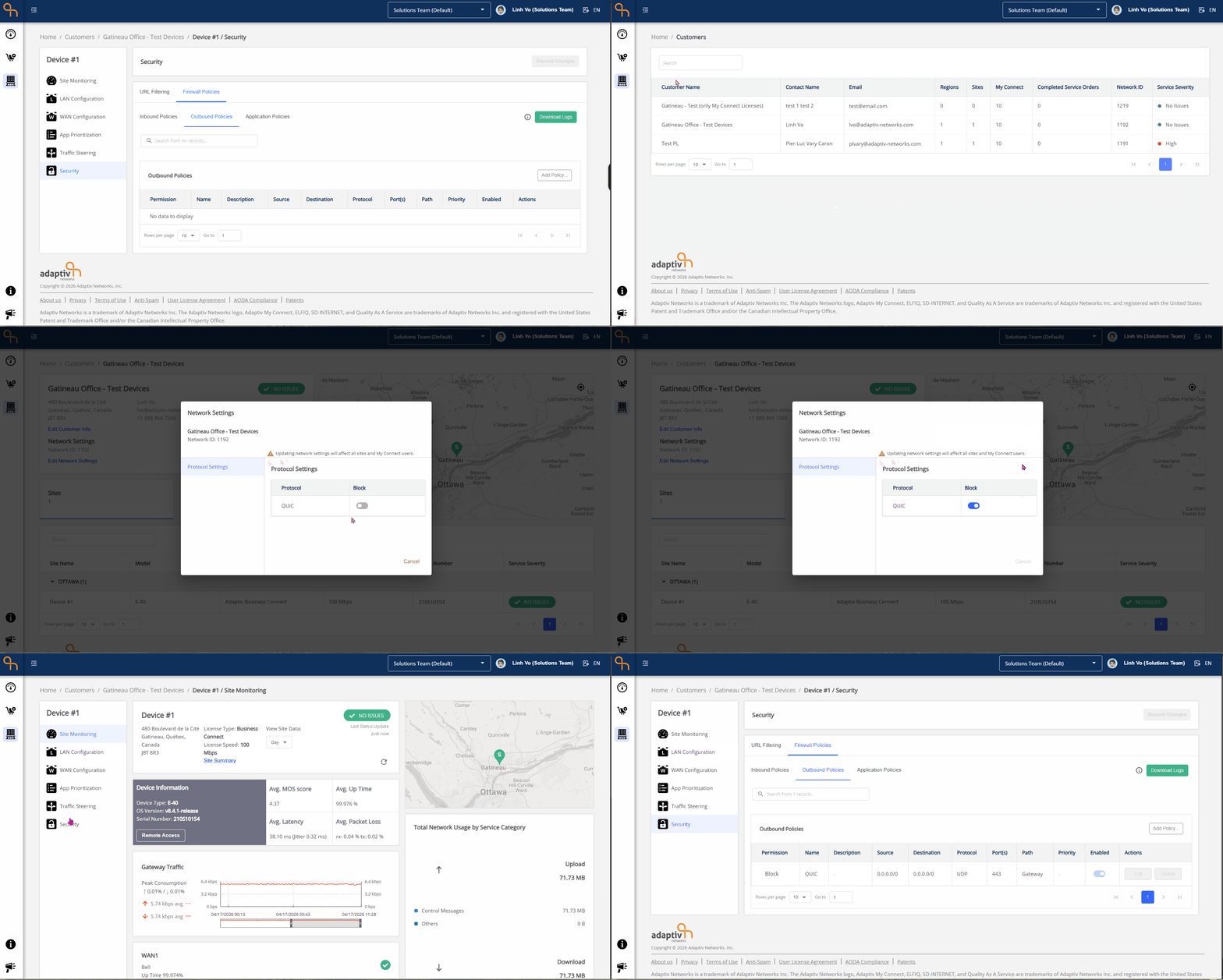
- The user enables QUIC protocol blocking in Network Settings.
System Behavior
When the QUIC protocol is set to Blocked, the system automatically creates a block policy in Security/Firewall Policies/Outbound Policies with the following specifications :
- Permission – Block
- Name – QUIC
- Description – N/A
- Source and Destination – 0.0.0.0/0
- Protocol – UDP
- Port(s) – 443
- Path – Gateway
- Priority – N/A
- Enabled – Switch toggled on but disabled.
- Actions – Both Edit and Delete are disabled.
Reversal Behavior
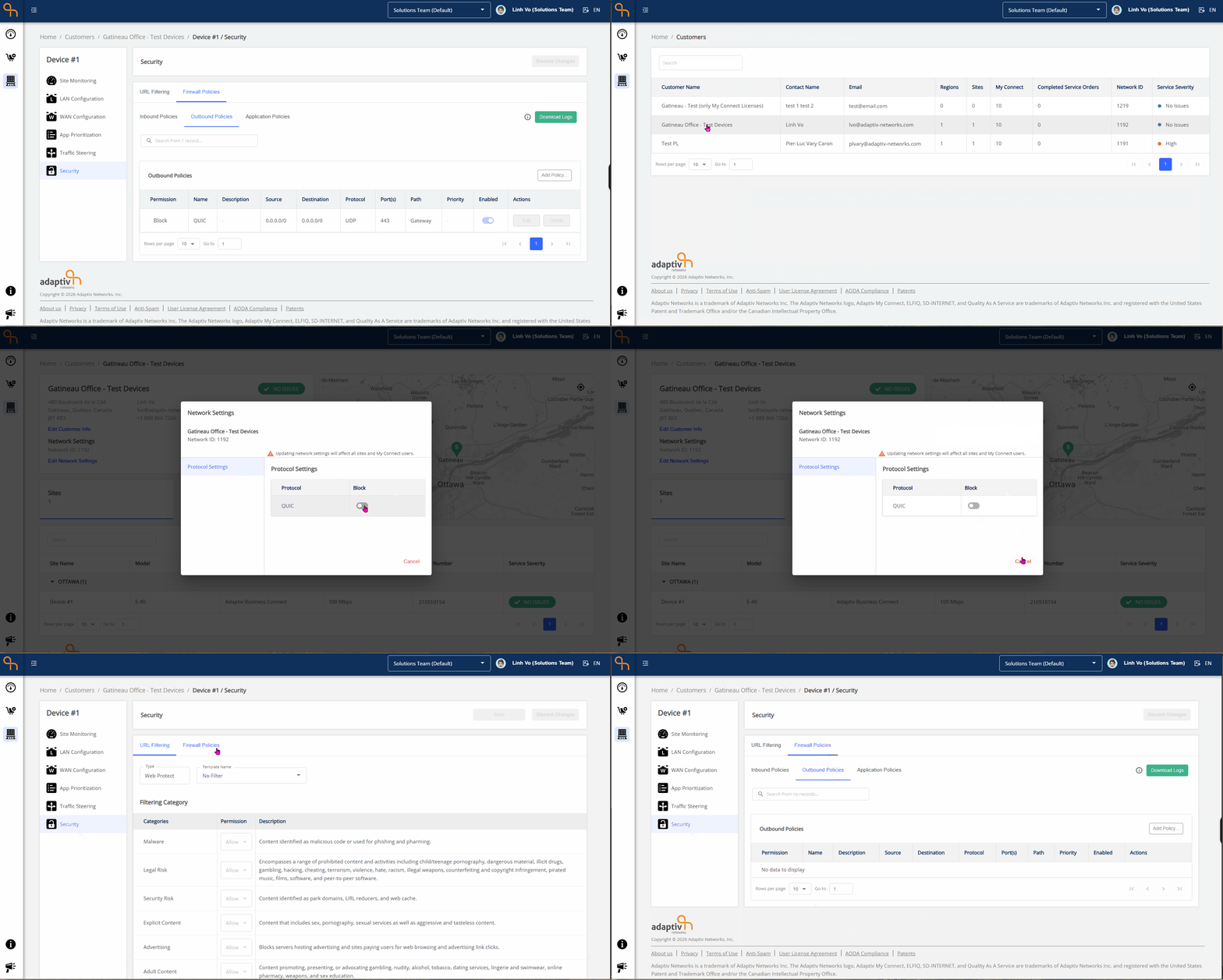
- When the user unblocks the QUIC protocol in Network Settings, the System-generated Block Policy is automatically removed from the Outbound Policies table.
Use case 2 — Block QUIC (Manual Policy Exists)
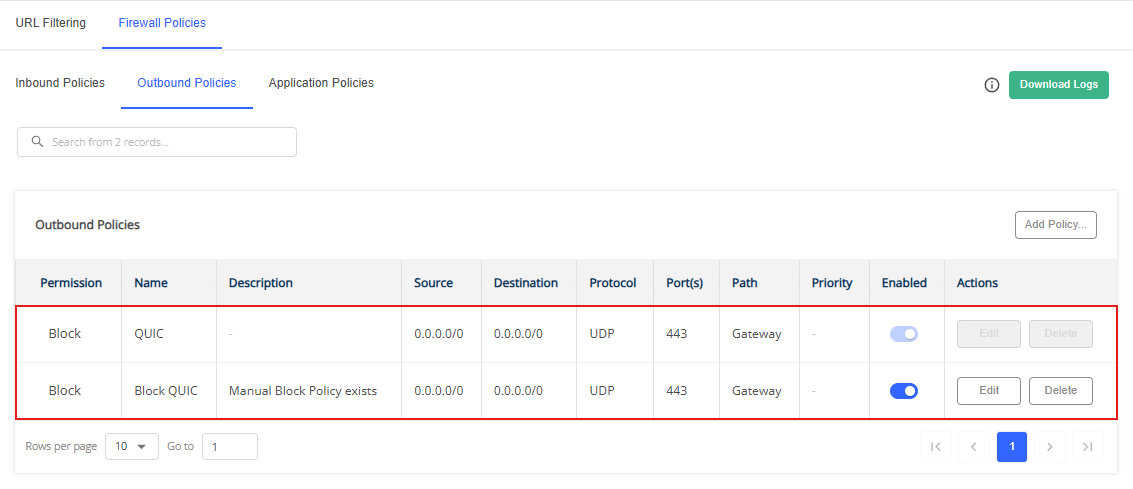
- The Manual Block Policy exists that blocks the QUIC protocol in Outbound Policies. (Same policy specifications)
- The user enables QUIC protocol blocking in Network Settings.
System Behavior
- The Manual Block Policy is a user-managed policy that remains visible and unchanged. Users can edit or delete this policy as needed.
- The System-generated Block Policy is still displayed in the inbound policies table. Users cannot edit or delete this policy.
Reversal Behavior
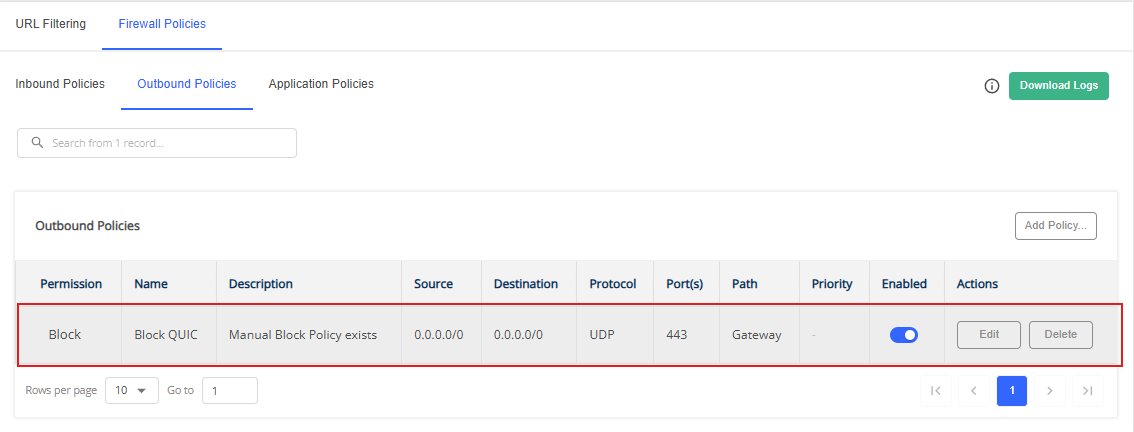
If the user disables the QUIC block in Network Settings:
- The System-generated Block policy is removed.
- The Manual Block Policy remain unchanged.
Use case 3 — Block QUIC (With Override Policy)
- The user creates an Override Policy that allows QUIC for specific traffic.
- The user enables QUIC protocol blocking in Network Settings.
System Behavior
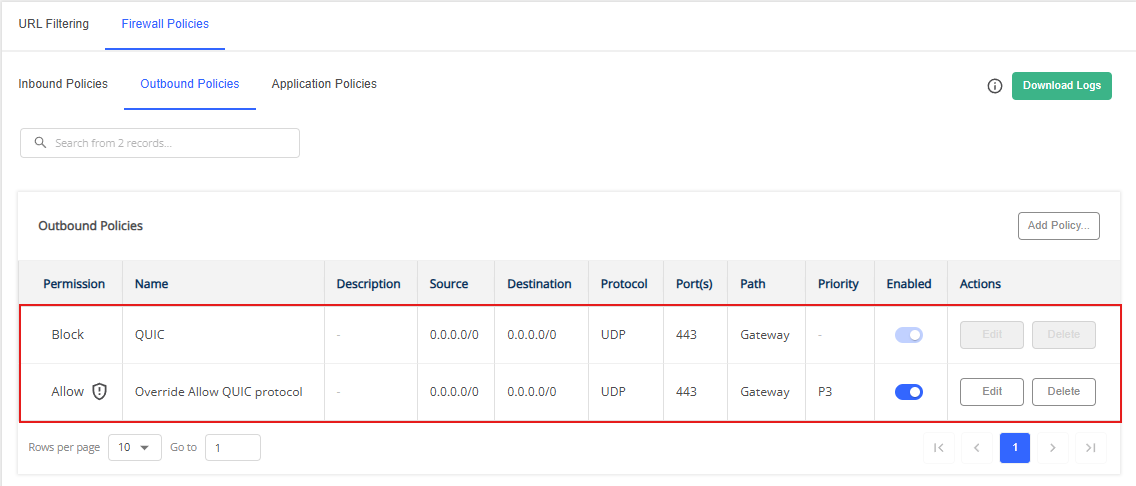
- The Override Allow QUIC policy is a user-managed policy that remains visible, unchanged, and takes precedence. Users can edit or delete this policy as needed.
- The System-generated Block Policy is still displayed in the outbound policies table. Users cannot edit or delete this policy.
- The Policy evaluation follows this order: Allow Override Policy → System-generated Block Policy.
- The QUIC Block setting is still applied to all Adaptiv My Connect users, except where the override applies.
Reversal Behavior
If the user disables the QUIC block in Network Settings:
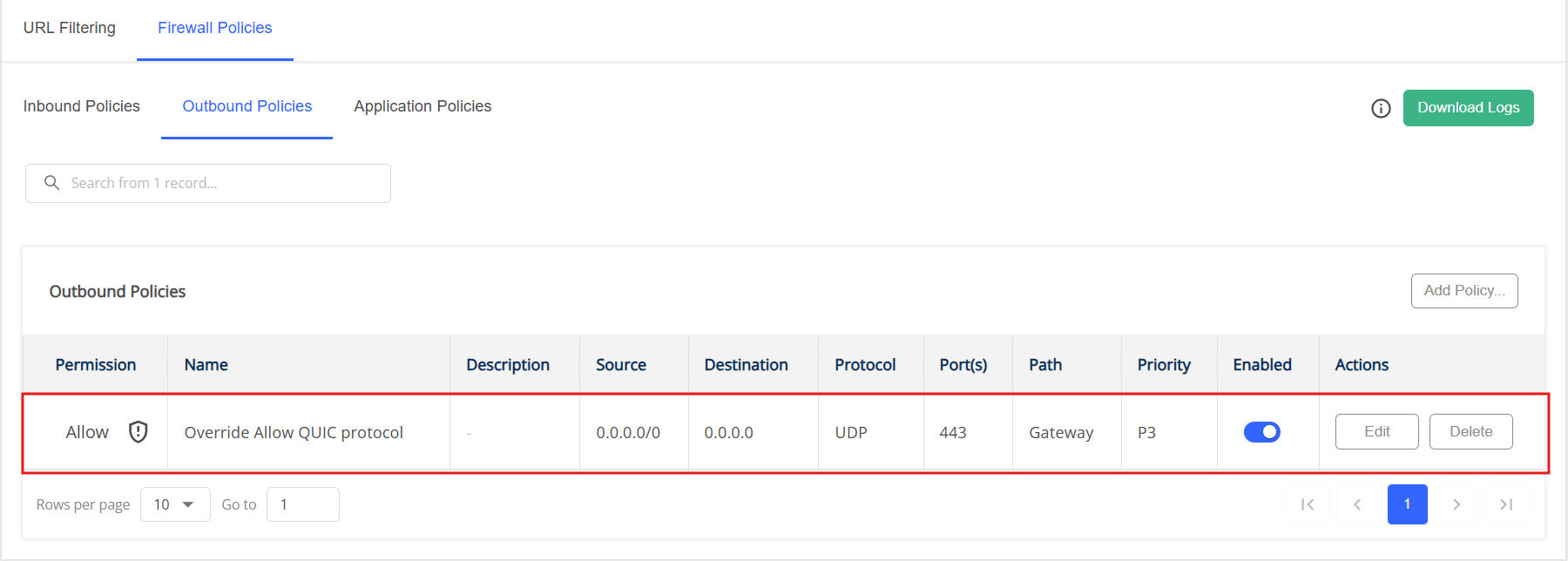
- The System-generated Block policy is removed.
- The Override Policy remain unchanged.
TERMS OF USE | PRIVACY POLICY | USER LICENSE AGREEMENT