Traffic Steering
Traffic Steering is the process of selecting the best available network links for each session based on predefined rules or real-time link conditions. Its goal is to optimize application performance, improve reliability, and reduce unnecessary load on tunnels or gateways.
How Traffic Steering works
Traffic Steering determines the preferred path for each session by evaluating link conditions, traffic priorities, and configured policies. To select and manage traffic, this process is divided into the following methods:
1. Using algorithms
Adaptiv Connect evaluates available WAN links and chooses the best path according to the steering algorithm you configure. Two algorithms are currently applied:
-
OPFA – Order Preferred First Algorithm
-
ETFA – Equalized Traffic First Algorithm
These algorithms determine link selection based on either fixed priority rules or dynamic, real-time conditions. For more details, see the Steering Algorithms.
2. Using Static Or Dynamic Selection
- Static Selection — Uses a fixed/predefined rule to manage traffic.
- Does not respond to real-time bandwidth usage.
- Suitable when one link should always be preferred.
- Example: OPFA, where a primary link handles traffic and passive backup links remain standby.
- Dynamic Selection — Makes traffic routing decisions in real time.
- Responds to changes in link quality, utilization, and availability.
- Ideal for balancing load or optimizing performance.
- Example: ETFA, which distributes sessions based on real-time utilization percentages.
3. Using Breakout Options
Traffic Steering can be operated at different points in the Adaptiv Connect network as following 2 options:
- Breakout at the Edge — Traffic is routed or sent directly to the Internet from the edge device.
- Advantages: Reduces latency by bypassing the gateway. It is Ideal for local Internet-bound or cloud traffic (e.g., Office 365, Zoom).
- Breakout at the Gateway — Traffic is forwarded to an Adaptiv gateway before continuing to the Internet.
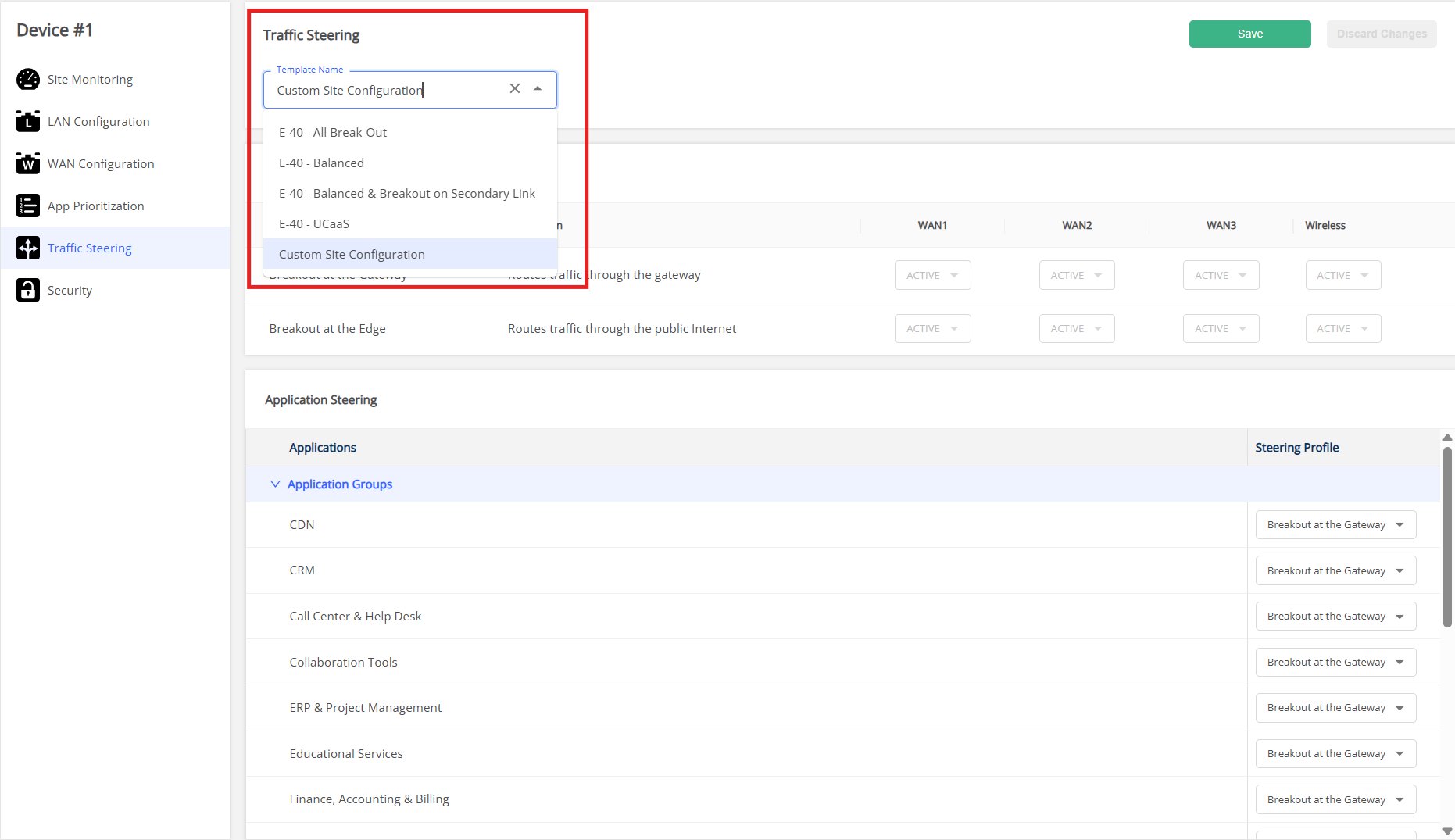
- Advantages: Enables centralized security, inspection and routing. It is Ideal for traffic requiring security, monitoring and compliance. Depending on business requirements, users can either apply predefined traffic steering templates or create a Custom Site Configuration within the Orchestrator. For more details, see the Traffic Steering for Adaptiv Cloud Orchestrator
Benefit of Traffic Steering
- Improved Reliability
Ensures sessions stay on healthy links to prevent interruptions. Critical traffic is routed through the best-performing path, and if the primary link goes down, secondary (standby) links are immediately used to maintain session continuity. - Optimized Performance
Selects links with the lowest latency or highest available bandwidth. This ensures that the real-time application (e.g., Zoom video calls) performs smoothly without delays, staying not only on active links but also on priority paths for critical traffic.
→ Overall, this maximizes performance and improves the user experience. - Reduced Tunnel Load
Non-critical or encrypted traffic can be broken out locally instead of being sent through the main tunnel.
→ This reduces congestion and frees up tunnel capacity for important or sensitive traffic. As a result, the tunnel maintains better performance and stability.
For practical examples of how Traffic Steering is a beneficial feature for businesses, you can click on the link: Traffic Steering Business Use Cases.
TERMS OF USE | ANTI SPAM | PRIVACY POLICY | USER LICENSE AGREEMENT | PATENTS