Editing Customer Information
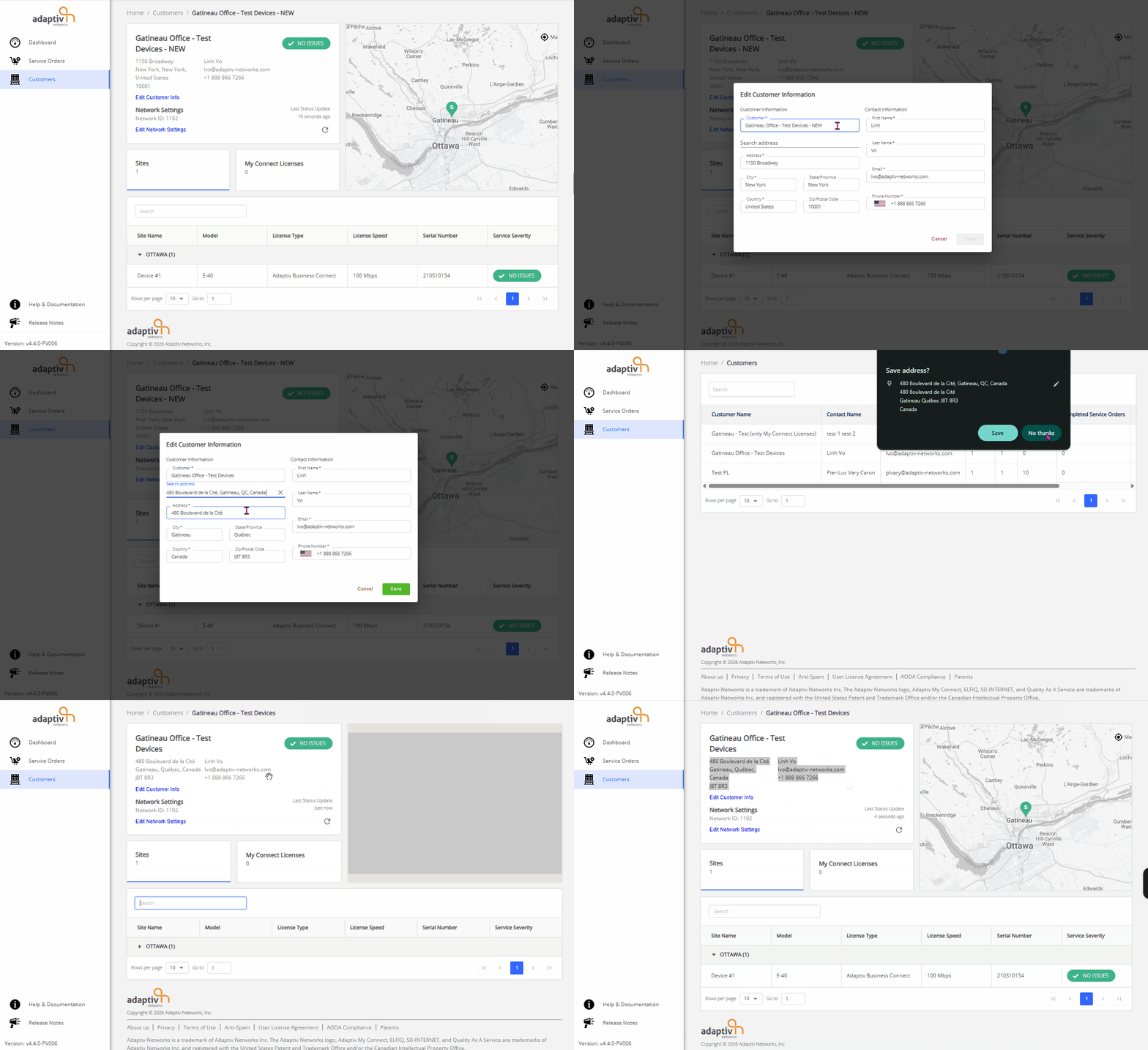
To Edit the Customer Information:
- Click Edit Customer Info.
- The Edit Customer Information dialogue appears.
-
Modify the required fields.

The Address, City, Country, State/Province, and Zip/Postal Code fields are auto-filled based on the Search Address results. - Click Save to apply the changes. To discard the changes, click Cancel.
TERMS OF USE | PRIVACY POLICY | USER LICENSE AGREEMENT
Copyright © 2026 Adaptiv Networks, Inc. Send Feedback