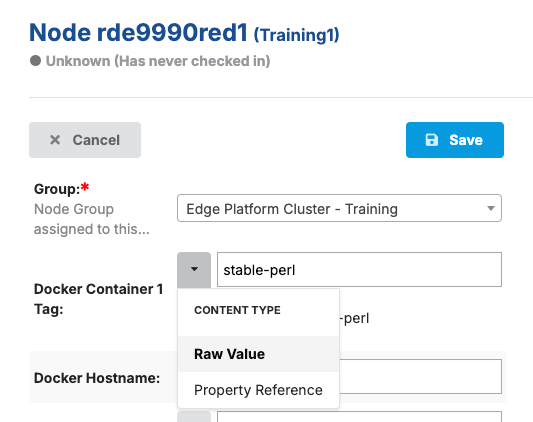
Use case: Controlling whether a KVM virtual machine gets built on a node
When defining a virtual machine (VM) in SC//Reliant™ Platform Manager, you can use a property reference in the Cluster KVM Resources hash to define an optional VM for your environment. An optional VM is simply a VM that you want to define in a node group but that you don't necessarily want to run on every node within that node group. To achieve this, when specifying the hostname of the virtual machine you can use the Optional VM 1 property as a property reference. Then, at the individual node level you can add the hostname for the virtual machine if you want to deploy the VM to that node. If the Optional VM 1 property is left blank, then the VM doesn't get deployed.
Configuring an optional virtual machine
- At the node group level, in the Cluster KVM Resources hash, add a virtual machine with a hostname specified as a property reference using property
Optional VM 1.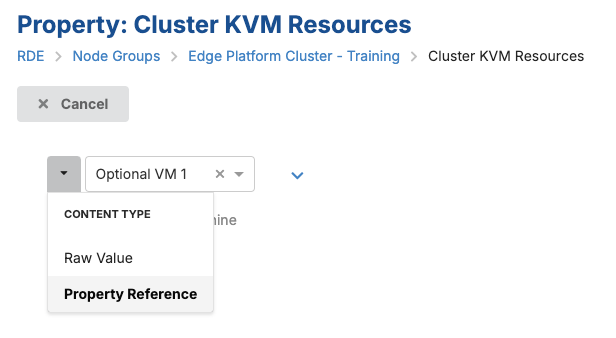
- At the node group level, edit the list of Node Properties and add the
Optional VM 1property. This ensures that every node that uses the node group has that property added.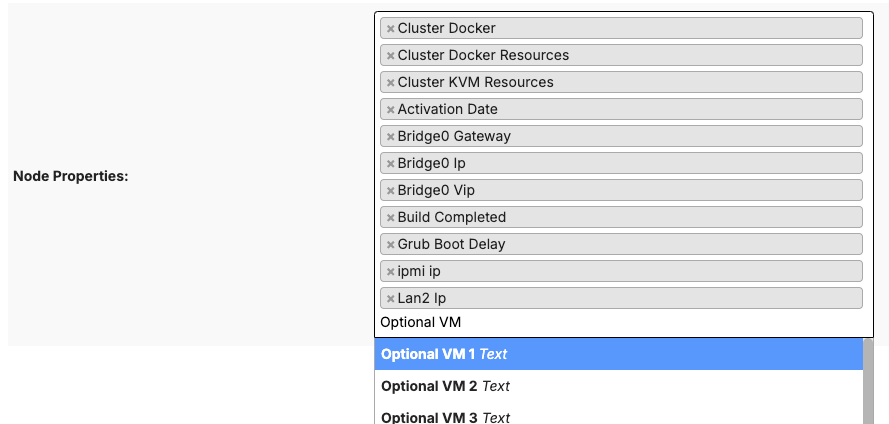
- For each node, locate the Optional VM 1 property and specify a hostname as a raw value if you want the virtual machine to be built on the node. If you leave the property name blank, the virtual machine won't be built on the node.