Use case: Defining the network configuration of your edge devices
When specifying an IP address in SC//Reliant™ Platform Manager, if you don't specify a netmask then by default /32 is used. If you had a property reference for Lan2 Netmask, you can specify a custom netmask.
The node group is where you define the common or default configuration for all nodes. For any property value that is going to be specific for an individual node, like the IP address and netmask associated with a network interface, it's best to use a property reference for those properties at the node group level and then specify the actual value at the node level.
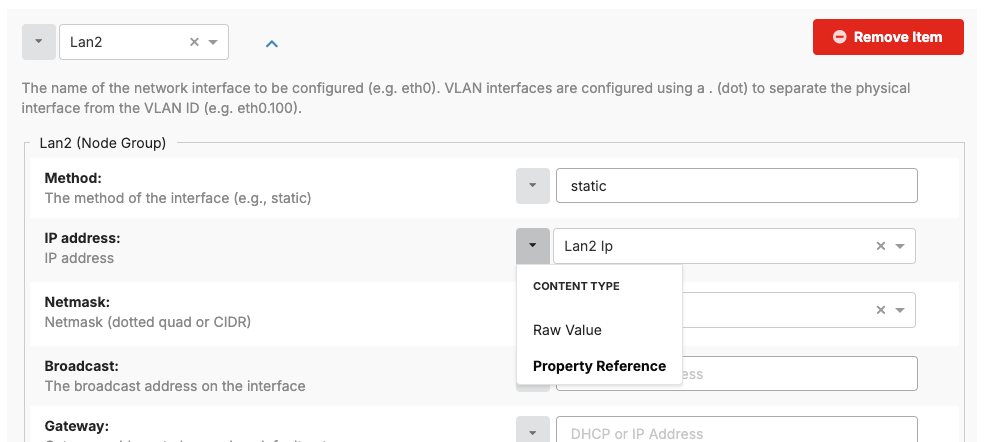
The following shows a network interface definition at the node group level for an interface named Lan2. For the Method property we are using a raw value of static because we are going to specify a static IP address value on every node. However, for the IP address and Netmask properties, we want to specify those at the individual node level. To do this, we specify a property reference for a property named Lan2 Ip and Lan2 Netmask that we then add to each node where we specify those values as raw values.
Think about conceptually how you'd want to define data. For example, when setting up your Network Configurations hash on your node group, you'd define each network interface as a property reference and then in the configuration for each network interface, you'd use a property reference for the IP Address property so you could define the actual IP address at the node level.