Use the Update Software page to keep the Edge device on the latest software version. From this page, you can see which version is running and assign a new one to install.
To perform this action, an Admin login is required.
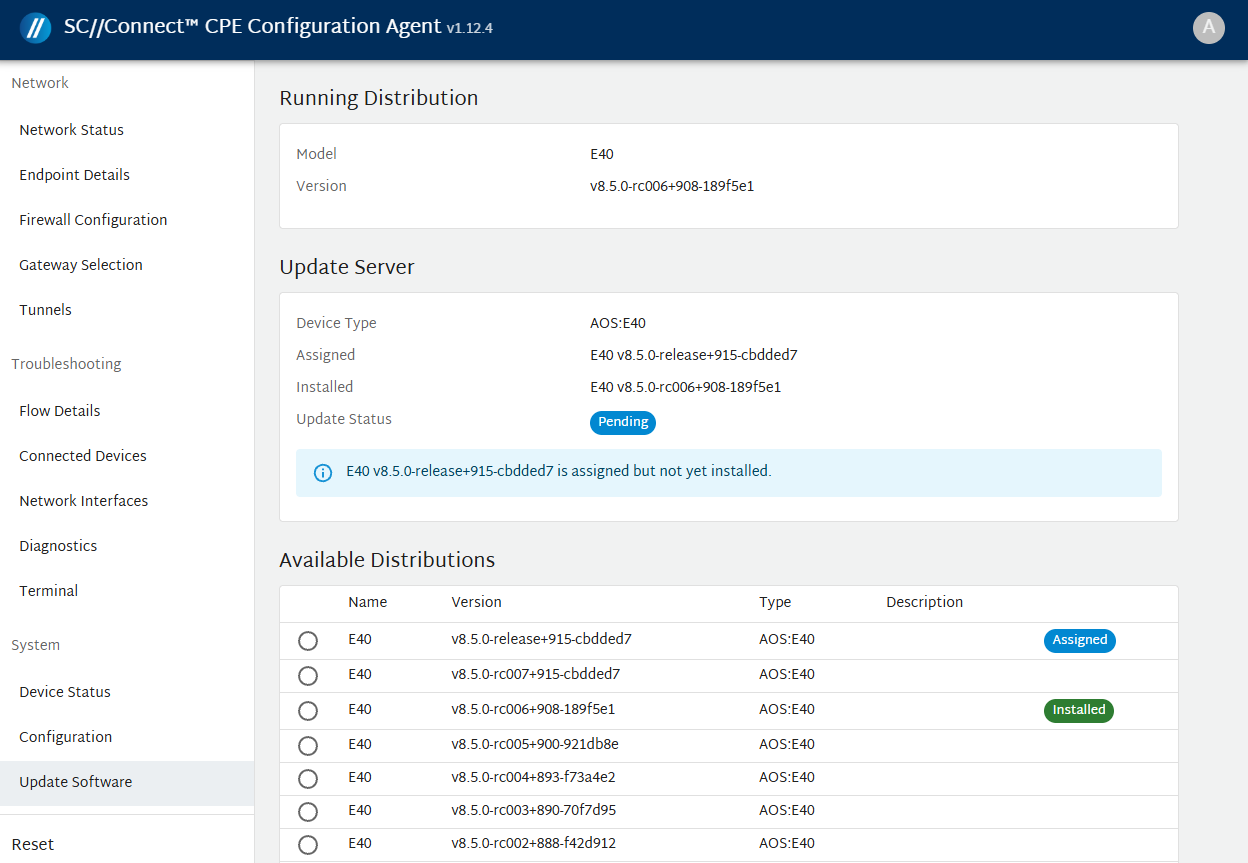
The Update Software page displays the following details:
1. Running Distribution:
- Model: The device model.
- Version: The software version currently installed on the device.
2. Update Server
- Device Type: The device type category.
- Assigned: The software version scheduled for installation.
- Installed: The software version currently running on the device
-
Update Status: The current state of the update:
- Pending: Update in progress.
-
In sync: Update is completed.
3. Available Distributions: Lists the available operating system versions that can be selected and applied to the device.
A label appears next to a version to show its status:
- Assigned: This version is scheduled for installation.
- Installed: This version is running on the device.