The Device Status section in the Web GUI provides essential details about the device's operational state and configuration. It is often the first point of reference for users to verify device status, identify the hardware, and ensure connectivity.
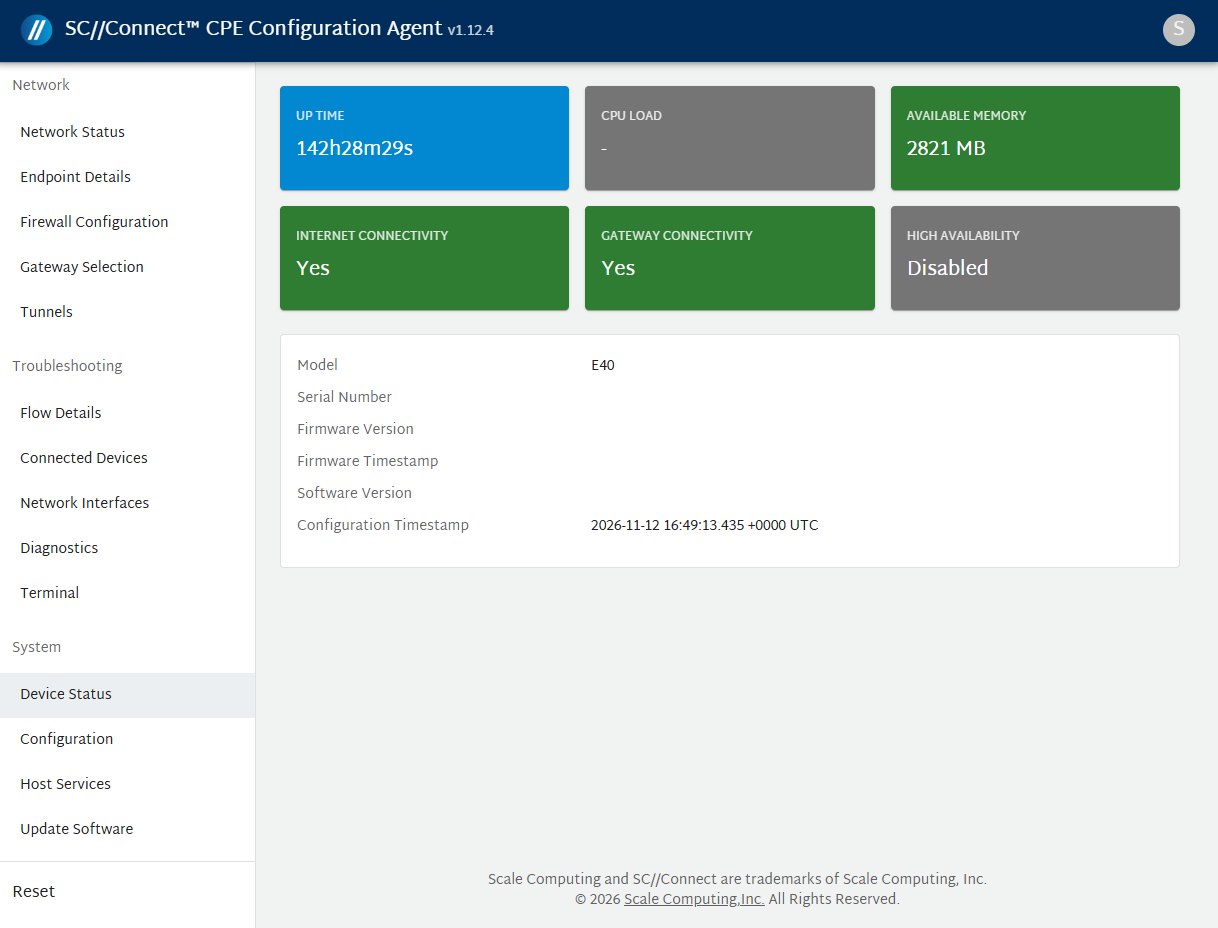
The Device Status page shows the following details:
- Up Time – The total time the device has been up and running since the last reboot.
- CPU Load – The current processor utilization.
- Available Memory – The amount of free memory currently available on CPE.
- Internet Connectivity – Indicates whether the device is connected to the internet.
- Gateway Connectivity – Indicate whether the device is connected to the gateway.
- High Availability – Displays the high availability (HA) configuration status.
- master (pref:master) - Device is HA and the selected device is the primary.
- master(pref:backup) - Device is HA and the selected device is the secondary.
- Disabled - No Hight Availability is set-up for this connection.
- Model – Hardware model of the device.
- Serial Number – Serial number associated with the hardware.
- Software Version – The firmware version installed on the device.
- Configuration Agent Version – The current version of the agent. Gets updated automatically.
- Configuration Agent Timestamp – Shows the date and time when the configuration agent was last updated.
- Firmware Configuration Timestamp – Indicates the date and time of the last firmware update.