The Scale Computing™ XG1v1 edge security device (ESD) is the site's firewall and gateway, and connects the site to SC//AcuVigil™. Unlike the other models, it has built-in Wi-Fi and LTE cellular, so it can provide wireless networks and a cellular internet connection without extra hardware. On the Locations page, an XG1v1 site's tile shows XG 020… or XG 021….
Overview
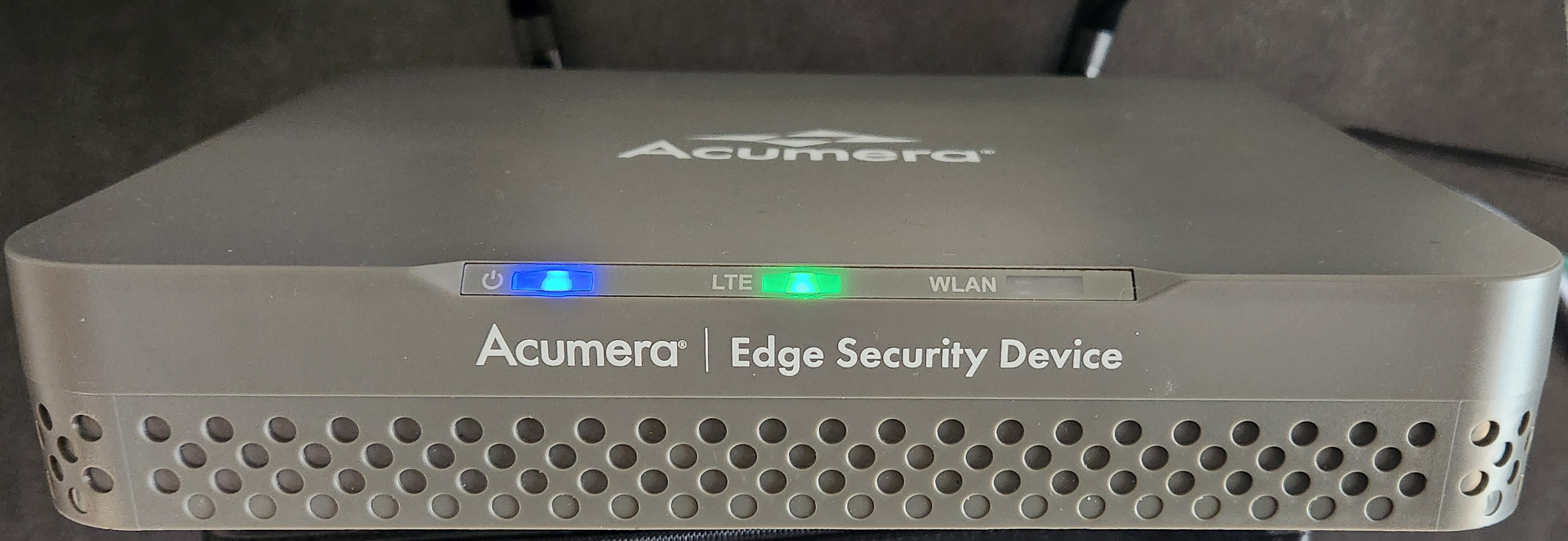
The following shows the front of the Scale Computing XG ESD. It has three LED lights labeled for Power, LTE, and WLAN.
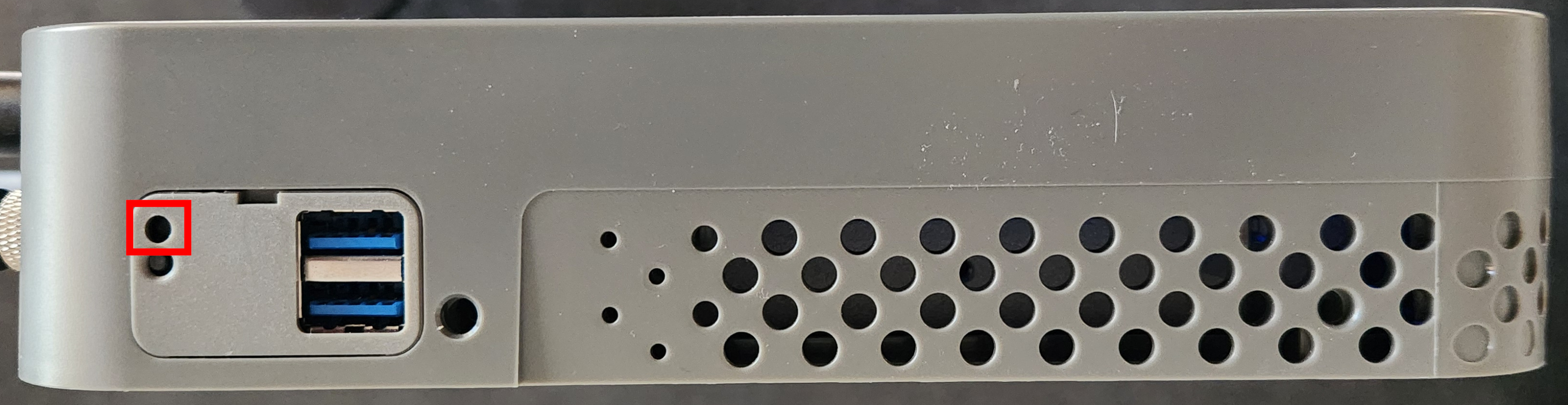
The following shows the left side view of the Scale Computing XG ESD. The location of the factory reset button is highlighted.
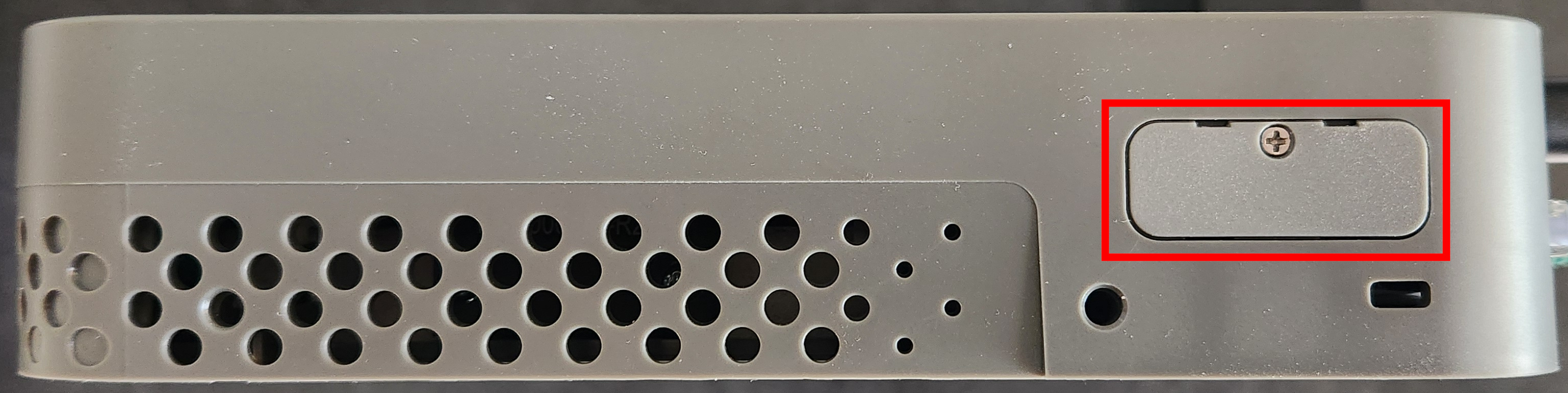
The following shows the right side view of the Scale Computing XG ESD. The location of the SIM card slot cover is highlighted.
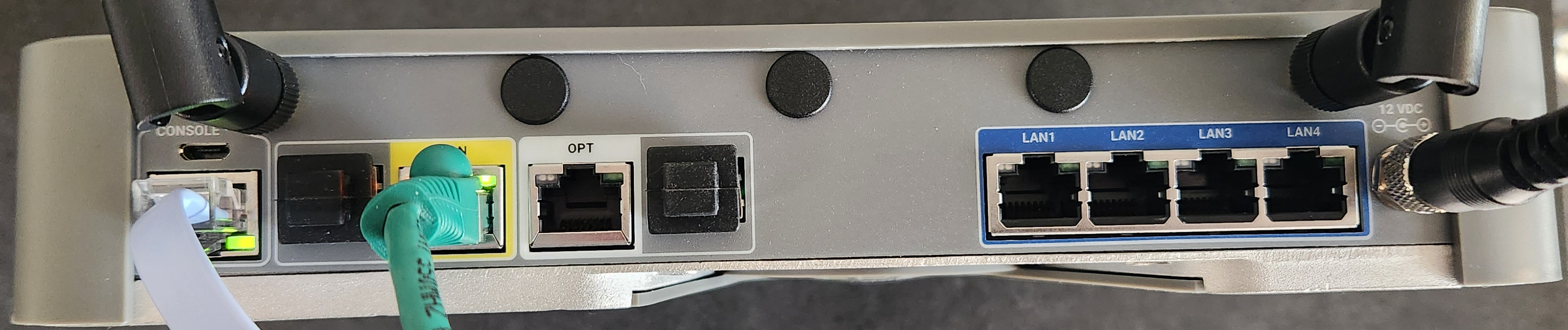
The following shows the rear view of the Scale Computing XG ESD.
Ports and wireless interfaces
| Port or interface | Use |
|---|---|
| WAN | Gigabit Ethernet. The primary internet connection. |
| OPT | Gigabit Ethernet. Can be set up as a LAN segment or as a second internet connection. |
| LAN1 to LAN4 | Gigabit Ethernet ports for the site's local network. |
| LTE cellular | Built-in modem with a SIM card slot. Used as a backup internet connection with the Integrated Cellular application. |
| Wi-Fi | Two built-in Wi-Fi interfaces, used with the Integrated WiFi application. |
| CONSOLE | Service port for Scale Computing. |
| 12 VDC | Power input. |
Understanding the LED lights
The Scale Computing XG ESD has three LED lights on the front. The following tables describe what each LED color means.
Power LED
| Color | Description |
|---|---|
| Off | The XG ESD is powered off. |
| Blue | The device is starting up. |
| Green | The device is reporting to SC//AcuVigil. |
| Blinking green | The device can't reach SC//AcuVigil, for example because the internet connection is down. |
| Magenta | The device is writing to its storage, for example while saving a configuration change. It shows magenta briefly. |
LTE LED
The LTE LED is used by the Integrated Cellular application.
| Color | Description |
|---|---|
| Off | The cellular modem isn't running. |
| Blue | The cellular modem is starting up. |
| Green | The cellular connection is up, with a good signal (RSSI stronger than -67 dBm). |
| Yellow | The cellular connection is up, with a weaker signal (RSSI of -67 dBm or weaker). |
| Red | The cellular connection failed, for example because the modem couldn't start or the APN is missing. |
WLAN LED
The integrated Wi-Fi on the Scale Computing XG ESD doesn't use the WLAN LED, so the LED stays off.