Users in your company with the Admin or Support Manager role can create new user accounts for SC//AcuVigil™ access.
Creating a new user account in SC//AcuVigil
- Sign in to the SC//AcuVigil dashboard with an account that has the Admin or Support Manager role.
-
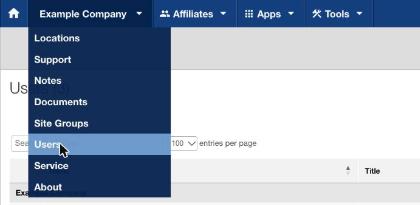
In the company menu, select Users.
-
On the Users page, select Add New User.

-
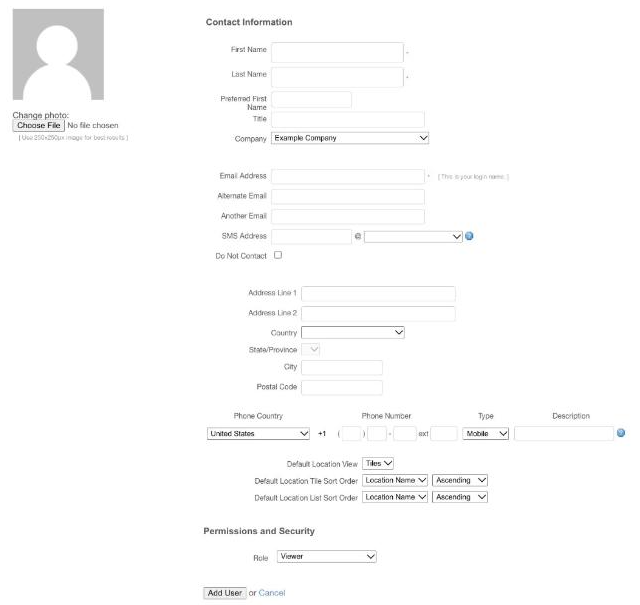
On the Add New User page, under Contact Information, enter the details for the new user account. First Name, Last Name, and Email Address are required. The email address is the user's sign-in name. Fill in as much of the rest as you can, which makes users easier to find and manage later.
-
Under Permissions and Security, select the role to assign to the user. The default role is Viewer. A Support Manager can't assign the Admin role. For more information about user roles, see Managing user permissions.
- Review the user account settings, and then select Add User.
After the account is created, the new user's sign-in information is sent to the email address entered for the account. For what the user does next, see Access and authentication.